WiFi jammers are cheap, illegal, and increasingly used in home burglaries. Here is how they work, how to spot an attack, and the practical steps that actually block or defeat one.
What Is WiFi Jamming and How Does It Work?
A WiFi jammer is basically a small radio transmitter that drowns out your router's signal with raw noise on the same frequency — usually 2.4GHz, sometimes 5GHz. Once that happens, your camera, doorbell, or smart plug can't separate the router's signal from all that static, so the connection just drops. There's no error message, no warning light — the device simply goes offline, which is exactly the outcome a burglar is hoping for.
Getting your hands on the gear for a WiFi jammer attack takes almost no effort and barely any cash. Based on reporting cited in the source material, a typical WiFi jammer goes for around $40, which means just about any criminal can afford one. The data backs this up: U.S. Customs and Border Protection has recorded roughly an 830% jump in signal jammer seizures since 2021, a clear sign that demand for these devices has shot up fast. And the fallout is already playing out in real cases. In June, the Department of Homeland Security reported that jamming devices were used in several bank robberies across Vermont, and police recovered one after an attempted jewelry store robbery in La Verne, California. Here at home, Los Angeles leaders, law enforcement, and security experts have spent the past year warning about a growing pattern of burglars using WiFi jammers to break into houses. Bottom line: this isn't some niche hobbyist issue anymore — it's become a go-to tool for criminals.
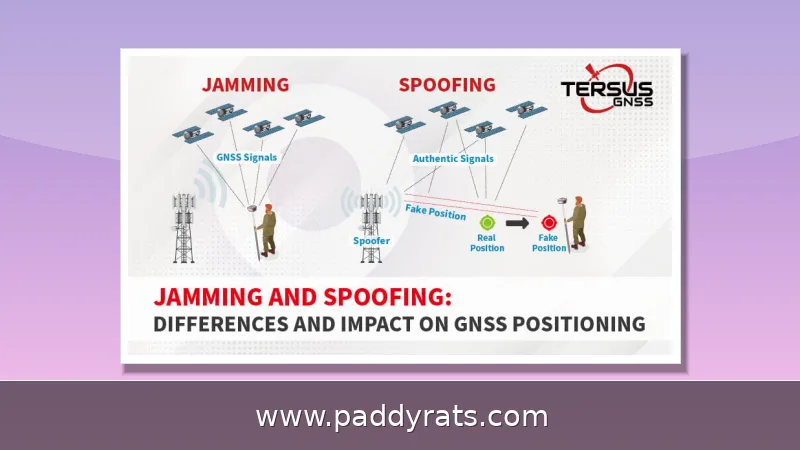
It helps to get the terminology straight first, because sellers throw all sorts of labels on what's essentially the same device: WiFi jammer, WiFi blocker, signal jammer, cell jammer, RF jammer, alarm signal blocker. But they don't all work the same way. A de-authentication attack, for instance, isn't really jamming anything — it poses as your WiFi client and tells the access point to drop the connection. That's why the resulting disruption can look more like a random network glitch than actual interference. Cell jammers, on the other hand, run on an entirely different principle: they push out electromagnetic signals on mobile phone frequencies, cutting off communication with cell towers and blocking emergency calls. So when you think about what could threaten your home network, it's worth keeping these categories separate — the fix for one won't necessarily solve the other.
Which Devices Are Most Vulnerable to WiFi Jammers?
Any device that depends on a wireless link can be a target, but the risk doesn't land evenly across your home. A WiFi jammer doesn't have to crack your password or break your encryption—it just has to drown out the signal with noise, and that's a far easier job. That's why the weakest point in any setup tends to be the device with the weakest antenna and the least tolerance for retries. Think about it: a router sitting in a central closet has some muscle behind it, but a battery-powered doorbell mounted on a brick wall, or a cheap smart plug tucked behind a couch, is fighting for every packet. Once the airwaves get flooded, those low-power devices are usually the first to drop off—often before you even notice anything wrong with your phone or laptop.
The table below ranks the devices I run into most often in home setups. I based it on two things: how central each device is to the network, and how badly it falls apart once the connection drops.
| Device | Why it is exposed | Impact when jammed |
|---|---|---|
| WiFi router | Central hub for everything else | Whole network goes dark |
| WiFi security cameras | Often outdoors, far from router | No recording, no alerts |
| Video doorbells | Mounts at the front door, low power | No motion alert or live view |
| Smart lights, plugs, speakers | Cheap radios, 2.4GHz only | Automations stop responding |
| Smartphones and tablets | Usually fall back to mobile data | Mostly unaffected if cellular works |
| Bluetooth headphones and wearables | Same 2.4GHz neighborhood | Audio dropouts, sync loss |
Look at the pattern here, and it's pretty obvious: the devices you rely on most for protection are the same ones a burglar has to knock offline first. Think about what each one is dealing with. A router shoved in a closet is already buried behind walls and doors, so its signal is weak to begin with. A camera mounted on a back fence is trying to push its signal across the yard, often through foliage and fencing, which means it's already running near the edge of its range before anyone even interferes. A video doorbell on a brick wall runs into the same issue — brick, mortar, and metal fixtures all chip away at the signal, and the doorbell itself has a tiny antenna to start with. Throw a jammer into that mix, and these devices tend to drop off fast, since there's barely any margin left to absorb extra noise. Phones and tablets are the exception. When WiFi gets noisy or cuts out, they can fall back to mobile data and keep working — which is exactly why a cellular backup path matters so much in a layered setup. If your cameras or alarm panel can reach the internet another way, a WiFi jammer alone won't be able to silence them.
How to Tell If Your WiFi Has Been Jammed
Jamming is sneaky precisely because it doesn't announce itself — it just makes your WiFi look like it's having an off day. So the smart move is to look for a pattern of symptoms instead of hanging your hat on any one of them, because a single slow connection or one device dropping off could mean just about anything. The biggest tell is a sudden, sharp drop in signal strength when you're standing right next to the router, somewhere you'd normally get full bars. If your laptop is a foot away and it's still showing two bars, that's not congestion or a dying router — something is actively messing with the signal. Add in a few other weird behaviors, like devices dropping and reconnecting again and again, pages that stall even though the connection looks strong, or several gadgets all losing their link at the exact same second, and the whole picture starts to look less like ordinary WiFi trouble and a lot more like someone deliberately interfering.
When a WiFi jammer fires up, the first sign is usually just your network acting weird—constant disconnects and reconnects, slower speeds, higher latency, and packet loss. What makes jamming different from ordinary interference is how wide it hits. A jammer floods the 2.4GHz or 5GHz band with a stronger signal on the same frequencies your devices use, so it doesn't target just one gadget—it knocks out everything in range. If your security camera, video doorbell, and smart plug all go down within the same minute, that's not a coincidence. You might also notice short bursts of disruption instead of a total outage, since attackers often switch the jammer on only as they approach a door or window, then turn it off. Heat is another giveaway: a router or device running unusually hot can be a red flag, because anything fighting interference works harder and pulls more power than normal. Meanwhile, any wired connection in the house keeps running fine, which is a good way to confirm the problem is in the airwaves, not your internet service.
Honestly, the fastest way to figure out what's going on is to plug something in. A wired connection keeps humming along during a WiFi jamming attack, since the jammer only messes with the wireless link — it can't reach a cable. So if your wired desktop is still online while every wireless device drops at the exact same second, that's your answer: wireless interference, not an ISP outage. And that distinction really matters, because you'd handle those two problems in totally different ways. That said, before you jump to the conclusion that someone's attacking you, cross off the usual suspects first. Microwaves, cordless phones, Bluetooth speakers, baby monitors, and the tangled mess of your neighbors' WiFi networks all crowd the same 2.4GHz band, and they can cause symptoms that look nearly identical to jamming. A quick test can help here: pay attention to whether the dropouts come in short bursts tied to one specific appliance, or whether they slam every band and every device at once. That second pattern points much more strongly to deliberate jamming.
| What you observe | Wired devices | Wireless devices | Likely cause |
|---|---|---|---|
| Everything drops at once | Offline | Offline | ISP outage or router failure |
| Only wireless drops | Online | Offline | WiFi jamming or wireless interference |
| Short bursts, tied to an appliance | Online | Brief dropouts | Microwave, cordless phone, or similar 2.4GHz source |
Network Security Settings That Reduce Jamming Risk
You can't encrypt your way out of a jammer, because jamming goes after the physical layer—the actual radio waves—not your password. Even the strongest WPA3 key means nothing when a device is drowning your 2.4GHz or 5GHz band in noise, since your router and your camera never get a clean chance to talk. What solid security settings can do is close the easier doors. Think of a de-authentication attack: instead of blasting out radio interference, an attacker impersonates your WiFi client and sends a forged command to the access point, knocking your camera or doorbell offline without owning a single piece of jamming hardware. The same goes for a router still running its factory-default admin password, or long-forgotten features like WPS and remote management that quietly hand an intruder a way in. None of these settings will stop a determined signal jammer, but they shrink the number of ways someone can cut your connection—so the attacker has to work harder and take on more risk.
| Attack type | What it targets | Can security settings stop it? |
|---|---|---|
| WiFi jamming | Physical layer (radio waves on 2.4GHz/5GHz) | No — jamming overpowers the signal itself |
| De-authentication attack | Management frames between client and access point | Often yes — WPA3 and PMF help block forged frames |
| Default credentials / forgotten features | Router admin access (WPS, remote management) | Yes — change defaults and disable unused features |
Start with WPA3 encryption and strong, unique passwords, then enable Protected Management Frames (PMF), which protects management frames from forgery. PMF is the direct counter to de-authentication attacks, though not every device supports it, so check your router and client list. Change the default router admin credentials, and disable features you do not use, such as WPS and remote management. MAC filtering adds a small hurdle, but MAC addresses can be spoofed, so treat it as a speed bump rather than a wall.
One setting deserves special attention: band selection. Most cheap jammers target 2.4GHz because that band is crowded, long-range, and used by nearly every smart home device. Switching what you can to 5GHz moves those devices out of the jammer's primary blast zone, though it shortens range and some devices simply do not offer 5GHz radios.
Why Switching to 5GHz Helps Against Jammers
A jammer has to transmit on the same frequency as the devices it wants to silence. That is why the band you choose changes your exposure. Most consumer jammers are built for 2.4GHz, and a device that only speaks 2.4GHz has nowhere to go when that band fills with noise.
Moving to 5GHz is not a cure, but it raises the cost of an attack. A 5GHz jammer needs different hardware and has less range, and many of the cheap units sold online do not cover it at all. Some cameras, including models from Tapo, offer automatic band-switching, so the device reconnects on the cleaner band when interference appears. That automatic fallback is worth more than a spec sheet claim, because it works while you are asleep.
The practical approach is to split your network. Put phones, laptops, and streaming devices on 5GHz, and keep only the devices that truly need 2.4GHz on that band. Then add a second path for the devices that matter most. A camera that supports both bands and can fall back is far harder to knock offline than a single-band doorbell.
Physical Solutions: Antennas, Access Points and Ethernet
Radio problems often have physical answers. Router placement is the cheapest fix: put it near the center of the home, away from thick walls, metal, mirrors, and large appliances. Metal blocks WiFi particularly well, which is why filing cabinets, ductwork, foil-lined insulation, and metal-lath plaster can carve dead zones out of a floor plan. Concrete walls, ceramic tile, Low-E or metallic-tinted glass, and mirrors with metallic backing all attenuate signal too, and drywall adds up across multiple walls.
Directional or adaptive antennas focus the signal where you need it and shrink the area a jammer can effectively cover. Multiple access points or routers give you somewhere to switch if one is attacked, and a mesh-style layout means a single jammer placement is less likely to take everything down. If you want active warning rather than passive resilience, an anti-WiFi jammer device can detect attacks and alert you when signals are being blocked.
Wired connections remain the strongest answer. Ethernet is immune to WiFi jamming, so run cable to the devices that matter most: the main camera, the NVR or hub, and any desktop you rely on. A hybrid setup — wired backbone, wireless edge — keeps your core online even when the airwaves are hostile.
| Material | Effect on WiFi signal |
|---|---|
| Metal doors, cabinets, ductwork | Severe blocking |
| Foil-lined insulation | Severe blocking |
| Concrete walls | Strong attenuation |
| Plaster with metal lath | Strong attenuation |
| Low-E or metallic-tinted glass | Moderate to strong |
| Mirrors with metallic backing | Moderate to strong |
| Drywall (multiple walls) | Cumulative loss |
Are WiFi Jammers Illegal?
Yes, and the rules are stricter than most people assume. According to the FCC, federal law prohibits the operation, marketing, or sale of any jamming equipment that interferes with authorized radio communications, including cellular, PCS, police radar, and GPS. There are no exemptions for use in a business, a classroom, a residence, or a vehicle. Owning one for personal use is not a loophole.
Enforcement authority is layered. Local law enforcement lacks independent authority to use jamming equipment, while federal agencies may be authorized in some instances. That asymmetry matters for homeowners: you cannot legally deploy a jammer to fight a jammer, and doing so would also knock out your neighbors' WiFi, phones, and possibly emergency calls.
The realistic defense is resilience, not retaliation. Layer encryption and PMF, push what you can to 5GHz, add multiple access points, keep wired Ethernet as a backup, and use an anti-jamming detector for early warning. If you are shopping for a camera, favor models with dual-band radios and local storage, such as the Reolink Altas PT Ultra 4K battery-powered PTZ camera, which records continuously, offers ColorX night vision, pan and tilt, automatic person tracking, and local storage without monthly fees, and works on both 2.4GHz and 5GHz. None of this is legal advice, and none of it makes jamming legal — it just makes your setup harder to take offline.
Frequently Asked Questions
How do WiFi jammers work?
WiFi jammers flood a frequency band, most commonly 2.4GHz or 5GHz, with strong interference signals on the same bands your router uses. This digital noise overwhelms the connection so devices cannot send or receive data, cutting cameras, doorbells, and smart devices off from your network in seconds.
Are WiFi jammers legal?
No. According to the FCC, federal law prohibits the operation, marketing, or sale of any jamming equipment that interferes with authorized radio communications, including cellular, PCS, police radar, and GPS. There are no exemptions for use in a business, classroom, residence, or vehicle.
How can I tell if my WiFi is being jammed?
Watch for sudden signal drops even near the router, frequent disconnections and reconnections, slower speeds with high latency or packet loss, multiple devices losing connection at once, and routers or devices overheating. Wired Ethernet devices keep working normally, which helps confirm wireless interference.
What is the best way to prevent WiFi jamming?
Use WPA3 encryption and strong passwords, enable Protected Management Frames, switch devices to 5GHz, add directional or adaptive antennas, install multiple access points, and keep wired Ethernet connections as a backup. Anti-jamming devices can also detect attacks and alert you when signals are blocked.