A Wi-Fi jammer floods the same 2.4GHz or 5GHz band your router uses with radio noise, so your devices simply cannot talk to the network. Here is how jamming works, what it does not break, and how to protect a home network.
What Does a Signal Jammer Do to Wi-Fi?
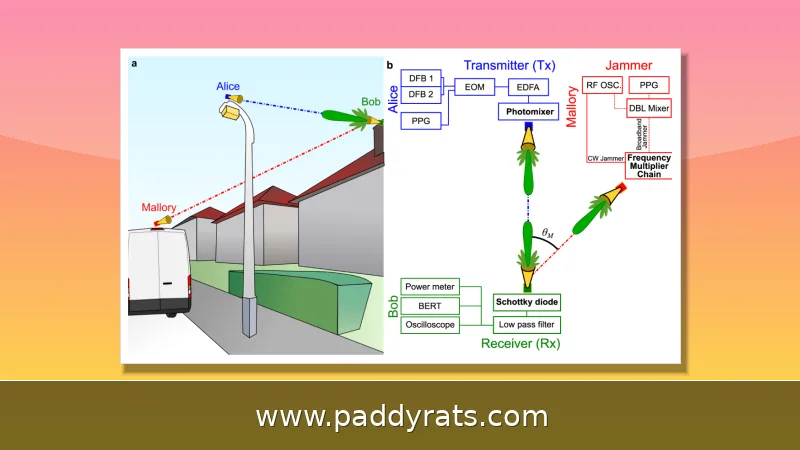
A Wi-Fi jammer isn't some clever hack that cracks your router password or wipes your files. What it actually does is drown out the airwaves. It blasts a powerful radio frequency signal on the same band your network runs on — usually 2.4GHz or 5GHz — and that wall of digital noise is loud enough that your router and your devices can't hear each other anymore. Think of it like trying to have a conversation next to a blaring speaker. Everything just falls apart: connections drop, logins fail, and your cameras go silent without any warning.
Cybersecurity expert Mark Lanterman has likened jamming devices to a traffic jam for the radio transmitter—real traffic just can't get through. That comparison is useful because it explains why jamming is only temporary. Nothing gets physically damaged, and once the jammer shuts off, the network typically comes back on its own. When I tested some home gear myself, the blocked connection recovered within seconds after the interfering signal stopped.
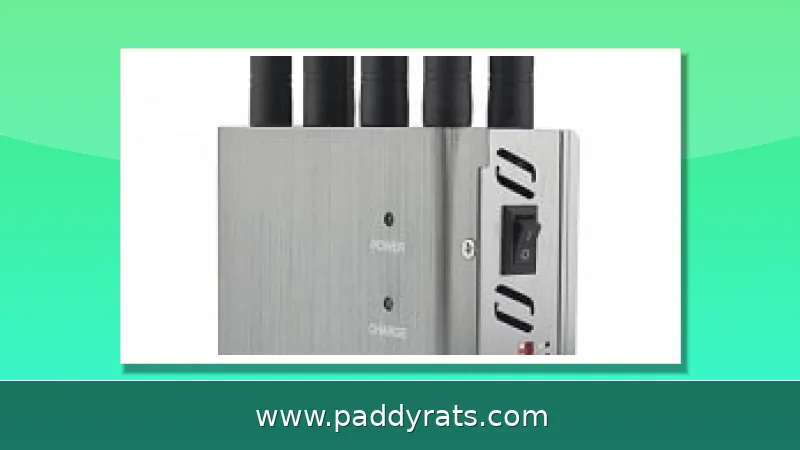
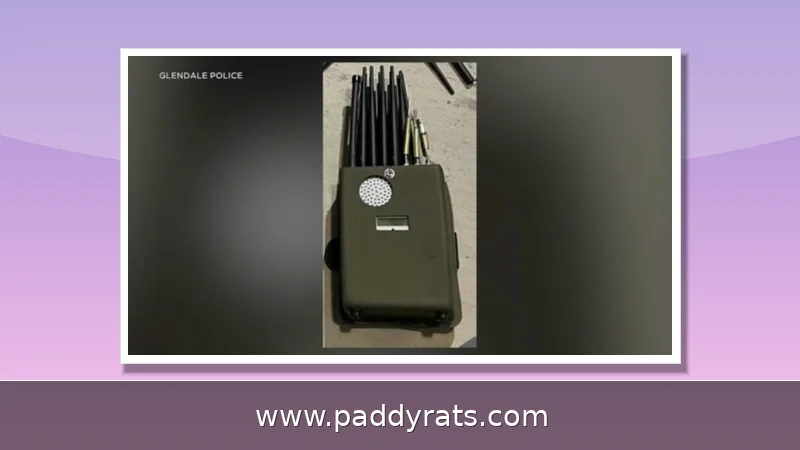
This isn't just a hypothetical threat, either. Customs and Border Protection has reported roughly an 830 percent jump in signal jammer seizures since 2021, and you can reportedly pick up a Wi-Fi jammer for around $40. When hardware is that cheap and shipping is that easy, it's no surprise that a niche radio trick has turned into a go-to tool for everyday burglars.
How Wi-Fi Jamming Works on 2.4GHz and 5GHz
Each wireless device runs on a specific frequency. A jammer goes after that same frequency and blasts out a stronger, messier signal, which means the receiving device can't tell the original transmission apart anymore. How well it works comes down to a few things: the jammer's output power, how far away the target devices are, obstacles like walls in between, and how strong the original signal is to begin with. And to jam a wireless radio at all, you need to know what frequency it broadcasts on — could be 315MHz, 433MHz, 900MHz, or a Wi-Fi band — plus the right gear and actual criminal intent.
Here's the detail most people overlook: which band actually gets targeted. Nearly all consumer jammers go after 2.4GHz, since that band is crowded, used by tons of cameras and smart devices, and cheap to mess with. The 5GHz band is a different story — it has more channels and a shorter range, so a low-cost device can't easily blanket it. If you're trying to protect a home network, that one difference is probably the most useful thing to know.
Here's a quick side-by-side look at how the two bands hold up when a jammer is in play, drawing on the technical details covered above.
Signs a Wi-Fi Jammer Is Active Nearby
Jamming doesn't usually come with a warning. Most of the time, the first thing you'll notice is a weak signal and random disconnects—even when you're sitting right next to the router. Your devices drop the connection and rejoin over and over, latency spikes, packets get lost, and whatever bandwidth you had left shrinks fast. Here's the tell, though: anything connected with an Ethernet cable keeps humming along like nothing's wrong. That contrast is the clearest sign the trouble is in the air, not on your ISP's end.
Other red flags include several phones dropping service at once, signal strength bouncing around unpredictably, and routers or connected devices getting unusually hot. These problems tend to come in short bursts and then vanish, so it's easy to write them off as just a finicky router. The most reliable way to tell jamming apart from a normal network glitch is to check whether multiple devices are failing at the same time.
Below is a table of the symptoms I'd check first, along with what each one typically points to.
Which Devices Are Most Vulnerable to Jamming
The devices most vulnerable to Wi-Fi jamming are the ones that depend completely on a wireless connection, particularly anything running on 2.4GHz. The router sits at the top of that list, since every other device leans on it as the central hub. After that, you're looking at Wi-Fi security cameras, including video doorbells and both outdoor and indoor models, plus smart home gear like lights, speakers, plugs, and other IoT gadgets. Smartphones and tablets round out the group, along with Bluetooth devices such as wireless headphones, speakers, and wearables.
Wi-Fi isn't the only thing jammers go after. They can also take down cellular networks on 2G, 3G, 4G, and 5G, Bluetooth connections, GPS and tracking systems, and radio communications on VHF and UHF. That's why a single jamming incident might kill a phone call, a camera feed, and a GPS tracker all at the same time.
This is also where the security story gets serious. Los Angeles leaders, law enforcement, and security experts warned of an increase in burglars using Wi-Fi jammers to break into homes over the past year. In June, the U.S. Department of Homeland Security (DHS) reported the use of jamming devices in several Vermont bank robberies, and jamming devices were also recovered in an attempted jewelry store robbery in La Verne, California. A March 4 statement by the Los Angeles Police Department warned that a group in Wilshire was using Wi-Fi jamming technology to disarm surveillance cameras and alarm systems that rely on Wi-Fi, and police in Minnesota and Connecticut issued similar warnings back in 2023.
Are Wi-Fi Jammers Legal? FCC Rules and Enforcement
No. According to the FCC, federal law prohibits the operation, marketing, or sale of any type of jamming equipment that interferes with authorized radio communications, including cellular and Personal Communication Services (PCS), police radar, and Global Positioning Systems (GPS). There are no exemptions for use within a business, classroom, residence, or vehicle. Even local law enforcement agencies do not have independent authority to use jamming equipment, though federal law enforcement agencies may be authorized in some instances.
The reason the rules are so strict comes down to safety. Interference caused by RF jammers can prevent people from making 911 calls or receiving emergency alerts, potentially delaying critical response. In most countries, using a Wi-Fi jammer is illegal for the same reason: it interferes with public communication systems that other people depend on.
It is worth separating legality from effectiveness, though. CNET experts tested home security systems and Wi-Fi signal blocking and concluded that Wi-Fi jammers remain largely ineffective and rare. Jamming signals need to be very close to the target and do not work as well as people think. Many reports are general police messages, with scant evidence presented that jammers were actually used, and some local reporting says police only claim burglars could be using jammers.
How to Prevent Wi-Fi Jamming at Home
Start with encryption. Use advanced encryption such as WPA3 and strong unique passwords for your Wi-Fi network and every device app you install. Then switch your critical gear to the 5GHz band, since most jammers target 2.4GHz, and turn on automatic band-switching where the router supports it. These two steps alone defeat the low-cost jammers that show up in most break-in reports.
Hardwiring is the strongest countermeasure available to a homeowner. Cameras and burglary alarm systems connected with Ethernet cables keep working when the airwaves are flooded, and cameras that store footage locally rather than only in the cloud preserve evidence even if the network drops. Smart home technology that alerts you when a signal or connection is interrupted is worth the setup time, because it turns a silent failure into a notification.
Finally, think like a burglar and remove the easy wins. Use timers or smart home devices to make it look like someone is home, lock your doors, rely on neighbors, and report suspicious activity, including vehicles with temporary or dealer plates. One caveat I would add: suspicious smart home failures are more likely caused by dying batteries or motion detection issues than by a jammer, so check the boring explanation first. Brute-force jamming of a Wi-Fi signal does not stop local video storage on a camera, rarely acts fast enough to remove clear video of a suspect, and does not affect sirens or motion lights.
How Much Does a Wi-Fi Jammer Actually Do?
Pulling the threads together, a Wi-Fi jammer is best understood as a loud noise machine, not a master key. It overloads the network your devices are connected to rather than deactivating the devices themselves. That is why wired Ethernet keeps working, why local camera storage survives, and why the disruption usually ends the moment the jammer is switched off or moved away.
The threat is real but narrower than the headlines suggest. Cheap jammers are widely available and have been linked to burglary and robbery cases, yet the tested reality is that they need to be very close and often fail to produce the clean blackout people imagine. For a homeowner, the practical answer is layered defense: WPA3, 5GHz where possible, Ethernet for cameras and alarms, local storage, and alerts when a connection drops.
This article is not legal advice. If you want to know whether a specific device is legal where you live, check your national regulator, such as the FCC in the United States, before buying or using anything that transmits on licensed bands.
Frequently Asked Questions
What does a signal jammer do to Wi-Fi?
A Wi-Fi jammer floods the same frequency band your network uses, most commonly 2.4GHz or 5GHz, with strong radio noise. This interference overwhelms the connection so devices cannot send or receive data, causing dropped signals, disconnections, and failed communication with the router. The devices themselves are not damaged, and service usually returns once the jammer stops.
Does a Wi-Fi jammer affect wired connections?
No. Jammers only affect wireless devices. Computers, cameras, or smart devices connected directly to the router with an Ethernet cable continue to function normally, which is why hardwired cameras and alarm systems are recommended as a countermeasure. If your wired gear works while your wireless gear fails at the same time, that pattern points strongly to interference rather than an internet outage.
Are Wi-Fi jammers legal?
No. According to the FCC, federal law prohibits the operation, marketing, or sale of any jamming equipment that interferes with authorized radio communications, including cellular, PCS, police radar, and GPS. There are no exemptions for use in a business, classroom, residence, or vehicle. In most countries, using a Wi-Fi jammer is illegal because it interferes with public communication systems.
How can I tell if a Wi-Fi jammer is being used nearby?
Warning signs include sudden signal drops even near the router, frequent disconnections and reconnections, reduced bandwidth, high latency, packet loss, multiple devices losing connection at once, and routers or devices unexpectedly overheating. Confirming several affected devices helps distinguish jamming from ordinary network faults, since a single failing gadget is usually a hardware or battery problem.