A WiFi signal jammer floods the 2.4 GHz and 5 GHz bands with radio noise so wireless devices cannot reach the router. Federal law bans operating, marketing, or selling them, yet seizures and crime reports keep climbing.
What Is a WiFi Signal Jammer?
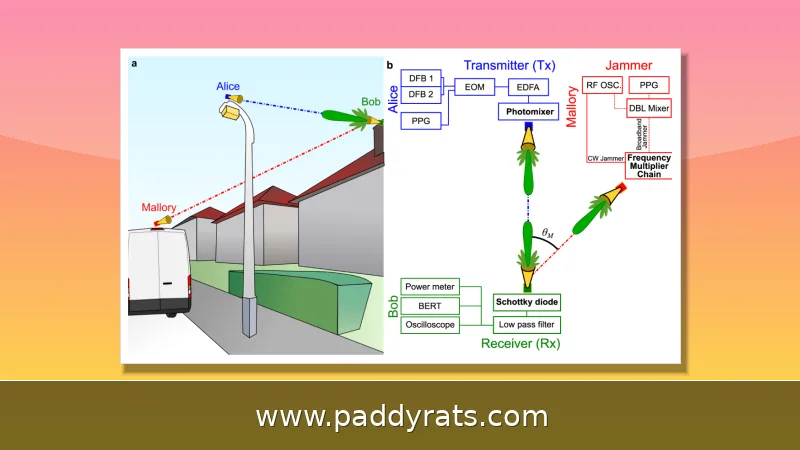
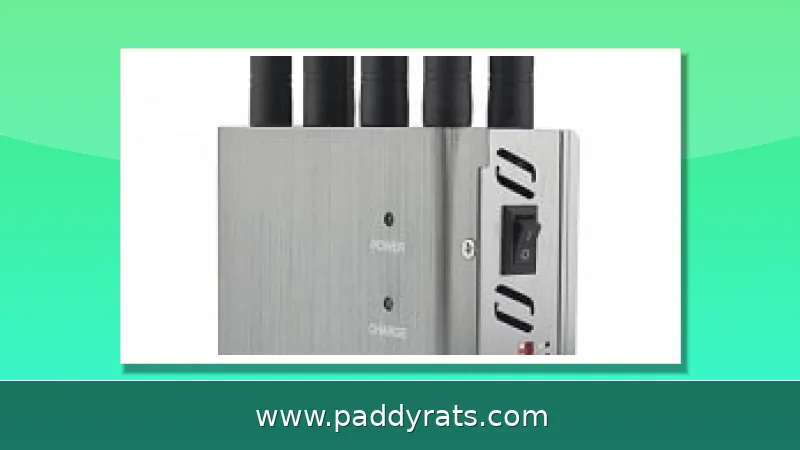
A WiFi signal jammer is a device that blocks radio frequency signals. It broadcasts a strong RF signal on the same bands your home network runs on—usually 2.4 GHz and 5 GHz—and that flood of digital noise is enough to keep wireless devices from communicating with a router or internet access point. Ekahau, a network testing company, likens the effect to a denial-of-service attack on a web server: by blasting many Wi-Fi frequencies loudly and over and over, the jammer cuts off the ability to send and receive wireless data.
This category goes by a lot of names, but they all point to the same thing: RF jammers, signal blockers, Wi-Fi blockers, wireless signal jammers, Bluetooth signal jammers, and 2.4 GHz or 5 GHz signal disruptors. GPS jammers, cell phone jammers, and text blockers are close relatives, just aimed at different frequencies. What really sets these devices apart isn't the technology itself—it's the band they go after. That's also why something marketed as a "privacy tool" can take down your cameras, doorbell, and smart speakers all at once.
How Do WiFi Jammers Work on 2.4 GHz and 5 GHz?
Any device that's designed to pick up a wireless signal on a certain frequency can be drowned out by a stronger signal on that same frequency. To jam a radio, you need to know what frequency it broadcasts on—could be 315 MHz, 433 MHz, 900 MHz, 2.4 GHz, or 5 GHz—and you need gear powerful enough to bury the original signal in noise. Here's the thing about Wi-Fi jammers, though: they don't necessarily turn your devices off. Instead, they overwhelm the network those devices are connected to, causing a traffic jam for the radio transmitter so that legitimate traffic never makes it through.
That difference actually matters when you're trying to figure out what's going wrong. A camera that's being jammed is usually still on and still recording to its local storage—it just can't talk to the router anymore. The table below breaks down how the main types of jammers compare in terms of which band they target and who they're meant to disrupt.
How Do Cell Jammers Differ From WiFi Jammers?
Cell jammers flood the same frequencies your phone uses to talk to cell towers, which cuts off that connection entirely. Losing Netflix is annoying, sure, but this is worse — it can knock out emergency calls too. WiFi jammers work differently. They go after the 2.4 GHz and 5 GHz bands that your router and wireless devices rely on, so the damage stays mostly inside your own network instead of spilling over into the public cellular grid.
In reality, one inexpensive multi-band jammer can pull off both tricks at once. That's part of why law enforcement doesn't just shrug these devices off as a minor annoyance — they treat them as a genuine public safety concern. Once a jammer kicks in, you might see phones lose service entirely and Wi-Fi devices drop offline, and the strange part is how fast everything snaps back: the second the device is turned off or carried away, both connections typically return to normal.
Are WiFi Jammers Legal Under FCC Rules?
Nope. According to the FCC, federal law bans operating, marketing, or selling just about any kind of jamming equipment that interferes with authorized radio communications — that covers cellular and Personal Communication Services (PCS), police radar, and Global Positioning Systems (GPS). And there's no exception carved out for using one in a business, a classroom, your own home, or a vehicle. On top of that, buying or selling these devices without the proper certifications is illegal too.
Even local police departments can't just decide on their own to run jamming equipment, though federal agencies may be permitted to use it in a few narrow situations. Enforcement has gotten tighter, too: Customs and Border Protection says signal jammer seizures have jumped by roughly 830% since 2021. And yet, the ban hasn't stopped criminals from finding these devices online, sometimes for as little as $40 — which is exactly why jammers keep turning up in police reports.
Signs Someone Is Using a WiFi Jammer
Detection usually comes down to patterns rather than any single red flag. The first thing you might notice is poor signal quality and random disconnections, even when you're sitting right next to the router. Devices can drop off the network and reconnect over and over. You might also pick up on higher latency, packet loss, reduced bandwidth, and generally slower speeds across everything you're using. Here's the detail that tends to give it away: wired connections carry on like nothing's wrong, since jammers only mess with wireless links. So if your Ethernet-connected laptop is running perfectly while every Wi-Fi device in the house is struggling, that's a pretty strong hint that something is interfering with the wireless signal.
If you think a cell jammer might be at work, one clue is several phones at once losing service in a spot where reception is usually solid, along with signals that jump around unpredictably. Routers or connected devices that get unusually hot out of nowhere can be another warning sign. If jamming seems likely, write down the time, which devices were affected, and whether the issue clears up when you move somewhere else. Then report it to your carrier or local police instead of playing detective and trying to track down the source on your own.
WiFi Jammers and Home Security: Real Threat or Hype?
Devices that rely entirely on wireless connections, especially over 2.4 GHz, are the most vulnerable. The Wi-Fi router is the central hub and a primary target. Wi-Fi security cameras, video doorbells, and outdoor and indoor cameras are common targets. Smart home gear such as smart lights, speakers, plugs, and other IoT gadgets depend heavily on Wi-Fi. Smartphones and tablets may lose Wi-Fi and fall back to mobile data, while Bluetooth devices can be jammed by equipment aimed at similar frequencies.
Police warnings are real. In a March 4 statement, the Los Angeles Police Department warned that a group in Wilshire was using Wi-Fi jamming technology to disarm surveillance cameras and alarm systems that rely on Wi-Fi. Departments in Minnesota and Connecticut issued similar warnings. In June, the U.S. Department of Homeland Security reported jamming devices used in several Vermont bank robberies. In California, jamming devices were recovered in an attempted jewelry store robbery in La Verne, a suspect near Houston held a backpack up to a video camera that then suffered connectivity issues, and reports also came from Glendale, Minneapolis, Boston, and Colorado.
Skepticism is warranted too. CNET experts tested home security systems against Wi-Fi signal blocking and found jamming signals need to be very close and do not work as well as people think. The reports are often general police messages with scant evidence that a jammer was actually used. Modern smart home encryption helps prevent this type of attack and can notify owners or switch to cellular connections. You cannot jam locks and force them to open. Brute-force jamming does not stop local video storage on a camera, rarely acts fast enough to erase clear video, and does not affect sirens or motion lights. Suspicious failures are more often caused by dying batteries or motion detection issues.
How to Protect Yourself Against WiFi Jamming
Start with the basics. Use WPA3 encryption and strong, unique passwords. Switch devices to 5 GHz where possible, since most jammers target 2.4 GHz. Hardwire cameras and burglary alarm systems with Ethernet; wired cameras do not rely on Wi-Fi and are not disrupted by wireless jamming. Choose cameras that record locally rather than only to cloud storage, so footage survives a network outage.
Layer in the practical steps: enable alerts if a signal or connection is interrupted, use timers or smart home devices to make it look like someone is home, lock doors, ask neighbors to check when you are away, and report suspicious activity to police. The table below is a quick reference for hardening a home network against wireless interference.
How Common Are Burglaries, and Does Jamming Fit the Picture?
Context helps separate fear from risk. According to a 2019 FBI report, burglaries account for only about 16% of property crimes, roughly 60% of those involve residential burglary, and about half involve forced entry. Burglaries decreased by about 50% between 2010 and 2020, which means the odds of any given home being targeted are lower than headlines suggest.
That does not make jamming harmless. It means the smart move is proportionate defense: wired cameras, local recording, encryption, and alerting, rather than panic buying. If your Wi-Fi drops out and your wired devices keep working, treat it as a diagnostic clue, document it, and escalate to your carrier or police. For most homeowners, the realistic threat is still a dead battery or a bad sensor, not a $40 jammer in a backpack.
What Should You Do If You Suspect Jamming?
Document first. Write down when the outage started, which devices failed, and whether wired connections stayed up. Test a device on Ethernet and test your phone on cellular data. If wired works and wireless fails, that pattern points to interference rather than an internet outage. Move to another room or building and see whether service returns, since jammers have a short effective range.
Then report it. Contact your internet provider, your alarm company, and local law enforcement, and mention the FCC rules if needed. Do not confront a suspected operator or try to locate the transmitter yourself. If you rely on Wi-Fi cameras for security, treat this as a prompt to hardwire the most important ones and add local recording, so a wireless outage never leaves you blind.
The Bottom Line on WiFi Jammers
A WiFi signal jammer is a radio frequency blocking device that drowns out the 2.4 GHz and 5 GHz bands your devices use, and it is illegal to operate, market, or sell in the United States under FCC rules. Seizures by Customs and Border Protection rose roughly 830% since 2021, and police departments from Los Angeles to Boston have warned about jammers used against Wi-Fi cameras and alarms.
The practical takeaway is not that every dropped signal is an attack. It is that wireless-only security has a single point of failure. Hardwire what matters, record locally, enable alerts, and keep encryption current. Do that, and a jammer becomes an inconvenience instead of an open door.
Frequently Asked Questions
What is a WiFi signal jammer?
A WiFi jammer is a radio frequency signal blocking device that floods Wi-Fi bands with strong noise so wireless devices cannot send or receive data. It works like a denial-of-service attack on radio waves, disrupting communication between devices and the router, which stops alerts, live feeds, and cloud uploads.
How do WiFi jammers work?
They transmit powerful radio frequency signals on the same bands as local networks, commonly 2.4 GHz and 5 GHz, creating enough digital noise to overwhelm the connection. The devices themselves usually stay powered on, but they cannot talk to the router, so smart cameras, doorbells, and other Wi-Fi gear appear to go offline.
Are WiFi jammers legal?
No. The FCC states federal law prohibits operating, marketing, or selling jamming equipment that interferes with authorized radio communications, including cellular, PCS, police radar, and GPS. There are no exemptions for business, classroom, residence, or vehicle use, and even local police lack independent authority to run them.
How can I tell if a WiFi jammer is being used?
Signs include sudden signal drops near the router, repeated disconnections, high latency, packet loss, reduced bandwidth, and multiple devices failing at once. Wired Ethernet devices keep working because jammers only affect wireless signals. If wired gear is fine while every Wi-Fi device fails, that pattern suggests interference rather than an internet outage.