Signal jammer seizures in the US have surged roughly 830% since 2021, and jamming now threatens WiFi, cellular, GPS, and alarm systems. Here are the practical prevention methods, detection signs, and anti-jamming techniques that actually work.
What Is Signal Jamming and How Does It Work?
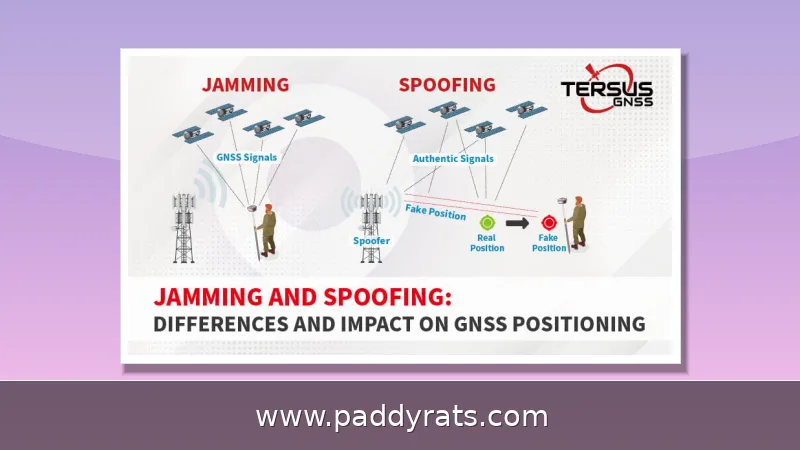
Think of a signal jammer as a device that floods the same radio frequencies your gadgets depend on with noise or fake signals, so real traffic can't get through. A cell jammer does this on mobile phone frequencies, severing the link between your phone and the nearest tower. A WiFi jammer pulls the same trick on the 2.4 GHz and 5 GHz bands, which is why laptops, cameras, and smart home devices suddenly can't see the router. GPS jammers target satellite navigation bands — and that's how one cheap unit can quietly take down navigation, timing, and alarm reporting across an entire block.
This isn't some far-fetched scenario anymore. US Customs and Border Protection has recorded about an 830% spike in signal jammer seizures since 2021, and that jump lines up with just how cheap and easy these devices are to pick up online. The money flowing through the market backs that up too: the global anti-jamming industry sat at roughly USD 5.0 billion, and it's expected to more than double to USD 11.4 billion by 2033, while the signal jammer market on its own has been cited at a 5.66% CAGR between 2023 and 2028. And the real-world cases keep piling up. Back in June, the Department of Homeland Security reported that jamming devices turned up in a string of Vermont bank robberies, and similar gear was recovered after an attempted jewelry store heist in La Verne, California. Still, for all the chaos they cause, jammers come with one built-in weakness: their range typically tops out at around 30 square feet, according to Wilson Amplifiers. That short reach is exactly why, when your signal suddenly dies, just walking to a different spot is often the quickest fix.
Jamming techniques typically fall into a few distinct families, and each behaves differently enough that figuring out which type you're dealing with can shape how you respond. Constant jamming is the bluntest approach: the device just blasts nonstop noise on the target frequency, drowning out everything else. Deceptive jamming is sneakier — it sends fake signals that mimic legitimate ones, tricking the receiver into trusting corrupted data. Reactive jamming plays it cool, staying silent until it detects actual traffic, then firing only when it matters, which makes it harder to spot and more energy-efficient. Beyond those three, noise techniques break down into spot jamming (one narrow frequency), sweep jamming (moving across a range), and barrage jamming (covering a wide band all at once). Repeater methods like DRFM take a different route entirely: they capture an incoming signal and rebroadcast it with enough delay or distortion to corrupt it. Knowing which technique you're up against matters, since it tells you whether to relocate, switch bands, or just call law enforcement.
| Jamming Type | How It Works |
|---|---|
| Constant | Blasts nonstop noise on the target frequency |
| Deceptive | Sends fake signals that look legitimate to trick the receiver |
| Reactive | Stays silent until it detects traffic, then fires |
| Noise: Spot | Targets a single narrow frequency |
| Noise: Sweep | Moves across a range of frequencies |
| Noise: Barrage | Covers a wide band all at once |
| Repeater (DRFM) | Captures a signal and rebroadcasts it with delay or distortion |
How Do You Detect a Cell or WiFi Jammer?
Catching a jammer in the act doesn't require a lab's worth of equipment. Most of the time, it's about spotting patterns rather than decoding raw RF data. With WiFi, the usual red flags are poor signal quality and constant disconnects, even when you're sitting just a few feet from the router — along with high latency, packet loss, and bandwidth that slows to a crawl. The clearest giveaway is the split between wired and wireless: if your Ethernet connection keeps running smoothly while every WiFi device in range struggles at the exact same moment, that's a sign of interference in the air, not an issue with your internet provider. Contrast that with a problem affecting just one device — a single laptop dropping while phones and smart TVs work fine usually points to a hardware or driver issue, not a jammer. But when the whole house goes down at once, jamming is worth taking seriously. That said, congestion from nearby networks, a dying router, or even a microwave running in the next room can produce the same symptoms, so rule out the everyday suspects before jumping to worst-case conclusions. Keep in mind that jamming range is typically small — no more than about 30 square feet, according to Wilson Amplifiers — so if you walk into another room and everything comes back, that's a strong hint you're dealing with a localized source.
Cell jamming looks different from your typical WiFi issue, and it usually hits all at once. Say you've got several phones that all lose service at the same time, signal bars bouncing around for no apparent reason, or emergency calls that just won't go through. That's the signature of interference, not some ordinary dead zone. The explanation comes down to how these devices operate: a cell jammer floods a whole frequency band rather than targeting one specific phone, so the outage takes down every carrier and every device in range simultaneously. That all-at-once, across-the-board quality is what sets jamming apart from a dropped call or a weak tower. One clue most people never think to check is heat. A router or nearby device that suddenly gets hot can be a giveaway, since some jammers push their transmitters hard and throw off abnormal RF energy that bleeds out as heat. And if you do end up filing a complaint with the FCC or your local police, keep a simple log: when the outages happened, which devices were affected, and how long each one lasted. That kind of record gives investigators something concrete to work with instead of a vague hunch.
If you think you're being jammed, do a few quick sanity checks first before you assume the worst. Reboot the router, bring a device closer to the access point, and plug straight into Ethernet to see if the problem sticks around. When wired works fine but WiFi keeps dropping across different brands and bands, jot down the time and spot of each outage. Then walk around with your phone or laptop and pay attention to whether the drop follows you or stays in one place. If it stays locked in a tight area no matter where you stand, that's about as clear a real-world sign as you'll get that a jammer is running nearby. The pattern matters: jamming range is usually no more than 30 square feet, according to Wilson Amplifiers, so a signal that dies only within a small radius points to a local source, not some network-wide problem.
How to Prevent WiFi Jamming: Network and Router Settings
Before you spend a dime on hardware, it’s worth knowing that some of the best anti-jamming defenses are already built into your router’s admin panel—and they won’t cost you anything. Start with WPA3 encryption and authentication. It’s the current gold standard for Wi-Fi security, so if your router is on the older side, upgrading to one that supports it is a smart move. Next, enable Protected Management Frames, or PMF. This feature blocks deauthentication attacks—the sneaky trick jammers use to knock your devices offline without ever needing your password. From there, take care of the basics: swap out every default admin username and password (attackers know factory logins by heart), and turn off anything you’re not actively using, like WPS or remote management. Every one of those features is an open door you simply don’t need. MAC filtering is worth a mention, but keep your expectations in check. It lets you whitelist approved devices by their hardware addresses, which sounds solid until you remember that MAC addresses can be spoofed with tools anyone can download. Treat it as a speed bump, not a wall.
The band you pick matters just as much as your encryption does, and here's why. Most consumer jammers go after 2.4 GHz, since the hardware is cheap and the band is already crowded—which makes it the easiest one to drown in noise. If you move your devices over to 5 GHz, you're stepping off that easy attack surface, though keep in mind that a determined attacker with the right gear can still follow you there. Placement is your next line of defense: put the router near the center of your home and keep it away from thick walls, metal objects, mirrors, and large appliances, because all of them either soak up or bounce RF energy and weaken the signal you're trying to protect. From there, you can tighten things up further by adding directional or adaptive antennas, which focus coverage instead of spraying it in every direction, and by running multiple access points or mesh nodes so the whole network doesn't hang on a single device that can be knocked out. Lastly, wherever it makes sense, keep a wired Ethernet connection as a backup. Jammers can't touch a cable, so a wired link gives you a reliable path to the internet even when the airwaves around you are completely useless.
If you'd rather go on the offensive, there are anti-jammer devices built specifically for WiFi that sense jamming conditions and alert you, rather than trying to overpower the interference. Picture a smoke detector for your wireless network: it won't put out the fire, but it warns you before things get worse. The table below lays out the practical settings and how much they're actually worth in real-world use, so you can figure out where to put your effort first. Just stay realistic about what you're getting. No single measure here will stop a determined attacker, and a jammer flooding the 2.4 GHz band doesn't care how strong your password is. But stack them together, and you make a successful attack costlier and slower, which buys you time to notice something's wrong and respond.
Physical and Hardware Anti-Jamming Measures
The difference between basic protection and genuine resilience usually comes down to hardware. Directional and adaptive antennas, for example, focus their gain toward the access point or cell tower you're actually trying to reach. That keeps the signal-to-noise ratio workable even when a jammer is driving up the noise floor. Mesh systems and multiple access points help in a different way: they shorten the distance each device has to cover, so it needs less transmit power to stay connected, and the jammer's effective radius shrinks as a result. But if you want the one countermeasure that almost never fails, it's wired Ethernet. It travels over physical cabling rather than shared airwaves, which leaves a jammer with nothing to interfere with.
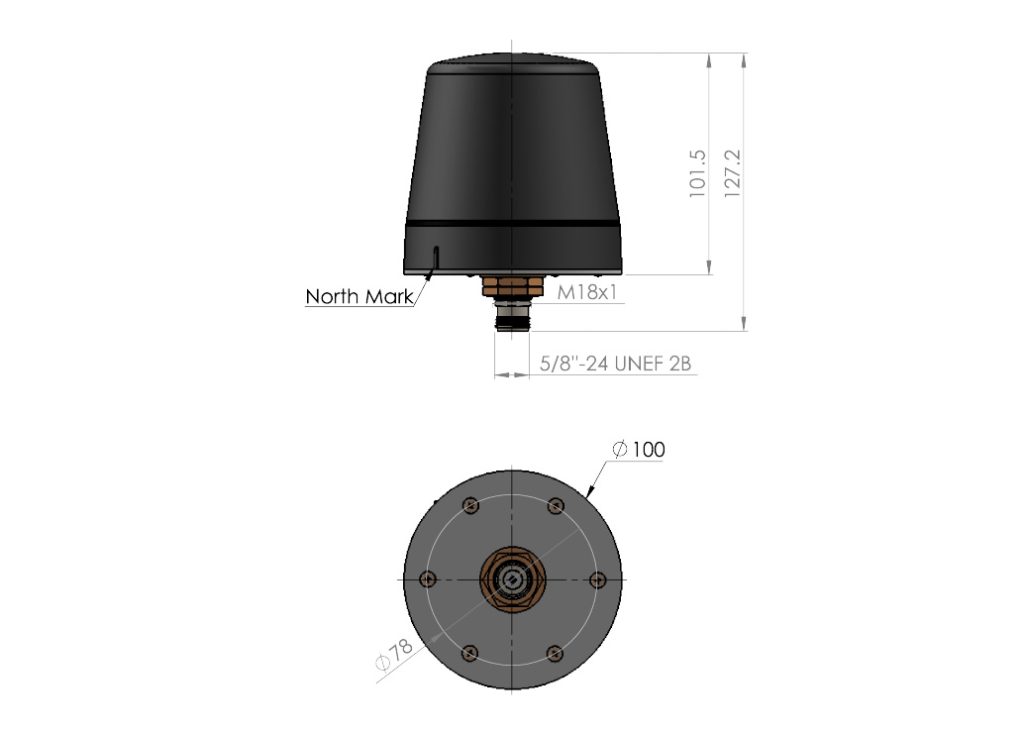
When it comes to GPS and other timing-dependent systems, the defenses get a lot more specialized. Controlled reception pattern antennas, or CRPAs, can dynamically steer nulls toward the jamming source — basically listening around the interference instead of fighting through it. Advanced digital filters help tell a genuine GNSS signal apart from a jamming signal, and adaptive filtering algorithms learn and adjust in real time as the interference shifts. Beamforming focuses the signal the way a flashlight focuses light rather than a bare bulb scattering it everywhere. Signal authentication confirms a trusted source and blocks spoofing, while signal resilience keeps systems online even under an active attack.
Frequency diversity is another practical layer: using multiple GNSS frequencies such as L1, L2, and L5 means a jammer targeting one band may leave the others usable. Integrating GNSS with an Inertial Navigation System (INS) bridges gaps for minutes or hours when satellite signals vanish, and visual odometry, barometric altimeters, and terrain contour matching add further resilience. Military users go further with GPS M-Code or Galileo PRS. The table below compares these approaches by what they actually protect against.
Anti-Jamming Technology: Beamforming, CRPAs, and Signal Processing
Anti-jamming technology is fundamentally about improving the ratio of wanted signal to unwanted noise. Beamforming concentrates energy in a chosen direction, CRPAs create deliberate nulls toward the jammer, and digital signal processing filters separate the authentic waveform from the interference. Signal authentication adds a cryptographic check so a spoofed signal is rejected even if it is strong. These techniques are complementary: beamforming helps reception, nulling reduces the jammer's reach, and authentication prevents deception.
Adaptive filtering algorithms are the piece that keeps working as conditions change. Instead of a fixed filter tuned once, they continuously sample the RF environment and adjust, which matters because reactive jammers only transmit when they detect traffic. Signal resilience engineering assumes some interference will always get through, so systems are designed to degrade gracefully rather than fail completely. Frequency diversity across L1, L2, and L5 gives receivers fallback options, and INS integration covers the minutes or hours when no satellite signal is available at all.
The practical takeaway for homes and small businesses is that enterprise-grade anti-jamming hardware is expensive and often overkill. The same principles still apply at a smaller scale: reduce reliance on a single frequency, reduce reliance on a single path, and prefer wired connections where reliability matters most. If you operate critical infrastructure, alarm panels, or fleet tracking, the investment case for CRPAs, filtering, and INS integration is much stronger than for a typical household router.
Which Devices Are Most Vulnerable to Jamming?
WiFi routers sit at the center of the home network and are the primary target, because taking one down disables everything behind it. WiFi security cameras and video doorbells are especially exposed: they are wireless-only, often mounted outdoors, and frequently used for exactly the moments when someone wants them offline. Smart home devices such as lights, speakers, plugs, and other IoT hardware usually have no wired fallback and no jamming detection, so they fail silently.
Smartphones and tablets are more resilient because they can switch to mobile data when WiFi drops, but that only helps until the cellular band is jammed too. Bluetooth devices operate in the same crowded 2.4 GHz neighborhood and are similarly vulnerable. The table below ranks common device categories by exposure and the practical fallback each one has. The pattern is consistent: devices with a wired option survive, and devices that depend entirely on shared airwaves do not.
Are Signal Jammers Legal and What Are the Risks?
No. The FCC states that federal law prohibits operating, marketing, or selling jamming equipment that interferes with authorized radio communications, including cellular, PCS, police radar, and GPS. There are no exemptions for businesses, classrooms, residences, or vehicles, and even local law enforcement lacks independent authority to deploy them. The Communications Act of 1934 outlaws interference with authorized radio broadcasts, and enforcement actions continue to target both sellers and users.
The risks go well beyond a fine. Jammers can prevent 911 calls and emergency alerts, which turns a nuisance into a public safety hazard. They disrupt communication for everyone in range, cause financial losses for businesses that depend on connectivity, and open the door to data interception when devices fall back to less secure paths. In June, the Department of Homeland Security reported jamming devices used in several Vermont bank robberies, and jamming devices were recovered in an attempted jewelry store robbery in La Verne, California. Those cases show how quickly jamming moves from prank to felony.
If you believe you are being jammed, relocate first, since the effective range is usually no more than about 30 square feet. If you are technically comfortable, switch frequency or band. You can also try to physically locate and disable the jammer, which often looks like a walkie-talkie, a cell phone, or a wireless router left in an unusual place. Then contact law enforcement or file a complaint with the FCC, and use direction finding (DF) to locate the source and report it with as much detail as possible.
This article is for informational purposes only and does not constitute legal advice. Laws vary by jurisdiction, and enforcement priorities change, so consult a qualified attorney or the FCC directly if you are dealing with an active jamming situation.
Frequently Asked Questions
How can I prevent WiFi jamming at home? Use WPA3 encryption, enable Protected Management Frames, change default router credentials, and switch devices to the 5GHz band since most jammers target 2.4GHz. Add directional or adaptive antennas, install multiple access points, and keep wired Ethernet connections as a backup that jammers cannot affect.
Can a signal booster stop a signal jammer? No. Signal boosters amplify an existing signal, so if a jammer blocks that signal the booster will not work. Any signal jammer is effectively also a signal booster jammer, and amplifiers are not an effective defense against jamming devices.
How do I know if someone is using a jammer nearby? Signs include sudden signal drops near your router, repeated disconnections, high latency, packet loss, reduced bandwidth, and multiple devices losing service at once. Wired connections keep working because jammers only affect wireless devices. Confirming several affected devices suggests a jammer may be present.
Are cell and WiFi jammers legal? No. The FCC states federal law prohibits operating, marketing, or selling jamming equipment that interferes with authorized radio communications, including cellular, PCS, police radar, and GPS. There are no exemptions for businesses, classrooms, residences, or vehicles, and even local law enforcement lacks independent authority to use them.
Frequently Asked Questions
How can I prevent WiFi jamming at home?
Use WPA3 encryption, enable Protected Management Frames, change default router credentials, and switch devices to the 5GHz band since most jammers target 2.4GHz. Add directional or adaptive antennas, install multiple access points, and keep wired Ethernet connections as a backup that jammers cannot affect.
Can a signal booster stop a signal jammer?
No. Signal boosters amplify an existing signal, so if a jammer blocks that signal the booster will not work. Any signal jammer is effectively also a signal booster jammer, and amplifiers are not an effective defense against jamming devices.
How do I know if someone is using a jammer nearby?
Signs include sudden signal drops near your router, repeated disconnections, high latency, packet loss, reduced bandwidth, and multiple devices losing service at once. Wired connections keep working because jammers only affect wireless devices. Confirming several affected devices suggests a jammer may be present.
Are cell and WiFi jammers legal?
No. The FCC states federal law prohibits operating, marketing, or selling jamming equipment that interferes with authorized radio communications, including cellular, PCS, police radar, and GPS. There are no exemptions for businesses, classrooms, residences, or vehicles, and even local law enforcement lacks independent authority to use them.