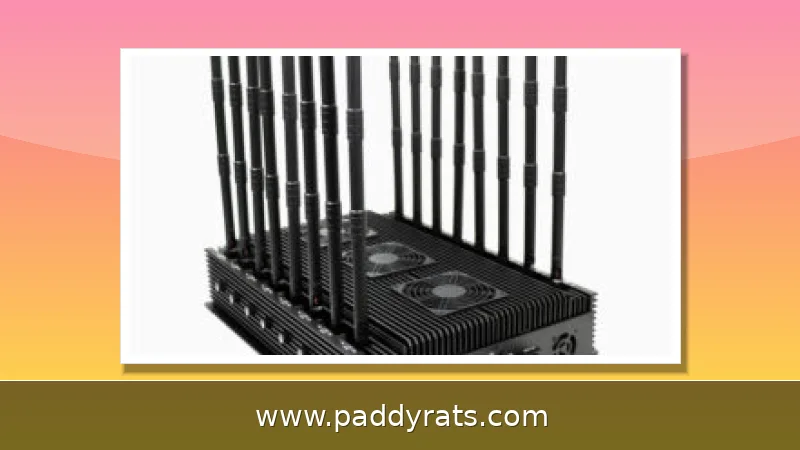
WiFi jammers flood 2.4 GHz and 5 GHz with RF noise to knock wireless devices offline, and seizures of these devices have surged in the US. Here is how jamming works, how to spot it, and why owning one is illegal.
What Is a WiFi Jammer and How Does It Work?
A WiFi jammer works by flooding the same radio bands your network runs on—usually 2.4 GHz and 5 GHz—with strong RF noise. All that digital interference drowns out the legitimate signals, which means your wireless devices can't talk to the router or internet access point anymore. When the target is the management frames that keep a client connected to an access point, the technique is typically called a WiFi de-authentication attack. You'll also see the tools behind it go by names like WiFi blockers, signal blockers, RF jammers, or just deauthers.
The mechanics behind this are simple enough that a $20 DIY build can cause real disruption. To jam a wireless radio, you need to know its broadcast frequency—whether that's 315 MHz, 433 MHz, 900 MHz, or the WiFi bands—and have the right equipment to transmit on it. More advanced models use protocol jamming to disrupt control channels rather than just blasting raw noise. Cell jammers operate the same way on cellular bands, which is exactly why they can also block emergency calls.
The commercial market tells you just how mainstream this hardware has become. In 2026, the wireless signal jammer market was valued at USD 2.35 billion, and it's expected to hit USD 3.64 billion by 2030 — that's an 11.5% CAGR. And that growth lines up with what's happening on the ground: since 2021, Customs and Border Protection has recorded roughly an 830% jump in signal jammer seizures.
WiFi Jamming vs Cell Phone Jamming: Key Differences
What really sets these two apart isn't the technology itself, it's the frequency band they go after. WiFi jammers flood the 2.4 GHz and 5 GHz bands, which is what knocks out your router, smart home gadgets, and WiFi cameras. Cell jammers work differently, sending out electromagnetic signals on the same frequencies phones use, which cuts off communication with cell towers and can even block emergency calls. And then there are signal jammers more broadly, which can blast RF noise across a wide range of cellular bands, things like 700 MHz, 800 MHz, 900 MHz, 1800 MHz, 1900 MHz, and 2100 MHz, along with GPS at 1575 MHz and WiFi at 2.4 GHz and 5 GHz.
That overlap is exactly why these devices are so dangerous: one multi-band jammer can knock out phones, GPS, and WiFi all at the same time. So if your cell service and your WiFi both drop at once, in a spot where you normally get strong reception, chances are you're dealing with a broadband jammer and not some glitch with your router. The table below breaks down how the two types of jamming stack up in real-world situations.
| Feature | WiFi Jammer | Cell Phone Jammer |
|---|---|---|
| Target bands | 2.4 GHz and 5 GHz | 700-2100 MHz cellular |
| Primary effect | Wireless devices lose router connection | Phones lose tower connection |
| Emergency calls | Not directly blocked | Can be blocked |
| Wired Ethernet | Unaffected | Unaffected |
| Common use case | Burglary, deauth attacks | Contraband, disruption |
Real incidents make it clear why this distinction actually matters. Back in June, the Department of Homeland Security reported that jamming devices were used in a string of bank robberies across Vermont, and similar devices turned up in an attempted jewelry store heist in La Verne, California. Meanwhile, officials and law enforcement in Los Angeles, along with security experts, have spent the past year warning that more and more burglars are using WiFi jammers to break into homes, usually by killing the WiFi cameras before they go in.
Signs Your Network Is Being Jammed
The most obvious sign of WiFi jamming is poor signal quality and connections that keep dropping, even when you're sitting right next to the router. You might also notice high latency, packet loss, and a drop in bandwidth that comes on all at once instead of gradually. But here's the diagnostic that really matters: your wired Ethernet connections keep working just fine, since jammers only mess with wireless devices. So if your laptop plugged into Ethernet is running normally while every WiFi device in the room is struggling, jamming is a genuine possibility.
Cell jamming doesn't look the same. Instead of a clean drop, you'll usually notice that several devices lose service at once in a place where reception is normally fine, and the signal tends to flicker unpredictably rather than just cutting out. Since jammers rarely go after a single phone, that pattern across multiple devices is the real giveaway.
Context really matters when you're trying to figure out whether you're dealing with a jammer. If several devices are acting up at once, and there's a home or business that could be at risk, chances are a jammer is somewhere nearby. The usual targets are WiFi routers, smart home gadgets like lights and speakers, WiFi security cameras, phones, and laptops. So if your camera feed cuts out at the exact same moment your phone drops WiFi, that's not something to just shrug off with a quick reboot — it's worth looking into.
Is a WiFi Jammer Legal? FCC Rules and Enforcement
Nope. Under federal law, the FCC bans operating, marketing, or selling any jamming equipment that interferes with authorized radio communications — that covers cellular and PCS, police radar, and GPS. And there's no exception carved out for using one in a business, a classroom, your own home, or your car. So whether you're buying one, selling one, or just flipping the switch, you're committing a federal violation — doesn't matter what your reason is.
Enforcement authority is narrower than people assume. Local law enforcement agencies do not have independent authority to use jamming equipment, and even federal law enforcement agencies may only be authorized in some instances. The networking community consensus is blunt: active wireless jammers are illegal, period.
The seizure data backs up the enforcement push. Since 2021, CBP has reported roughly an 830% increase in signal jammer seizures, and jamming devices have surfaced in cases from Vermont bank robberies to an attempted jewelry store robbery in La Verne, California. If you are shopping for one of these devices online, treat the listing itself as a legal red flag rather than a bargain.
How to Prevent WiFi Jamming at Home or Business
You cannot stop a determined jammer from broadcasting, but you can make your network harder to knock offline and easier to monitor. Start with network security settings: use encryption and authentication such as WPA3, enable Protected Management Frames (PMF) to protect wireless management frames from forgery or tampering, change default admin usernames and passwords, and disable unused features like WPS or remote management. PMF mitigates some deauthentication attacks, though not all devices support it.
Physical and architectural choices help too. Switch to 5 GHz where possible, since jammers commonly target 2.4 GHz. Optimize router placement by putting it in the center of the home and avoiding thick walls, metal objects, mirrors, and large appliances. Add directional or adaptive antennas, install multiple access points or routers, and set up MAC filtering as a speed bump, keeping in mind that MAC addresses can be spoofed.
For critical systems, the most reliable answer is wired. Ethernet connections are not affected by jammers, so keep a wired path for security cameras, alarms, and anything you rely on during an incident. You can also invest in an anti-WiFi jammer device that detects jammers and alerts you. The table below lists the practical options and their limits.
| Prevention step | What it does | Limitation |
|---|---|---|
| WPA3 + PMF | Protects management frames | Not all devices support PMF |
| Change default credentials | Blocks easy admin access | Does not stop RF noise |
| MAC filtering | Adds an access barrier | MAC addresses can be spoofed |
| Switch to 5 GHz | Avoids common jammer target | Shorter effective range |
| Wired Ethernet | Immune to jamming | Requires cabling |
| Jammer detector | Alerts you to an attack | Must be purchased and wired |
WiFi Jammer Detector: Tools and Detection Methods
A dedicated WiFi jammer detector is the most practical consumer option. One example is an Ethernet-connected device that monitors WiFi and RF signals, with hardware covering 10 MHz to 8 GHz and tuning focused on 2.4 GHz. It detects both weak and strong jamming plus deauth attacks, and a companion app (Eye LLC, free, 4.8 rating, 30.6 MB) provides jamming notifications, offline and online alerts, and sharing. The app alone will not detect jamming; the detector must be purchased and connected to a wired main router or switch, not a wireless node.
For technically inclined users, you can build a jammer detector using an antenna, an SDR module, and a processor. A statistical approach also works: jamming attacks affect the statistical features of packet flow, specifically the mean and variance, with temporal fluctuations that stand out from normal traffic. Researchers have used the CRAWDAD dataset for this kind of analysis.
More advanced attacks are harder to catch. Selective jamming via Reconfigurable Intelligent Surfaces (RIS) enables precise wireless jamming attacks that can be targeted at specific devices or links rather than a whole band, which makes simple signal-strength monitoring less reliable. In those cases, correlating wired and wireless telemetry is the better detection strategy.
DIY WiFi Jammer Projects: ESP8266 Deauther and Legal Warnings
The most widely shared DIY build is the ESP8266 deauther, documented in a DFRobot tutorial published December 25, 2019. It uses a FireBeetle ESP8266, a custom PCB, and a LiPo battery, with Arduino IDE setup via the esp8266 board manager URL and esp8266_deauther Release Version 1.5. The build hosts a WiFi network named pwned with the password deauther, is controlled at 192.168.4.1, and can scan WiFi devices, block selected connections, create dozens of networks, and confuse WiFi scanners. The original disclaimer is explicit: proof of concept for testing and educational purposes only.
Other community projects follow the same pattern. An Instructables guide from April 4, 2017 covers a WiFi jammer using the ESP8266-01 in three steps, with a note that it is not a toy and is considered illegal. A Reddit DIY WiFi and Bluetooth jammer guide claims a build for under $20. An ESP32 plus NRF24L01 2.4 GHz jammer project was aimed at preventing cheating among students using Bluetooth earpieces, built in the Arduino IDE with an estimated project cost of 35,000 IQD. Academic write-ups include a WiFi Jammer Project by Anshika Nijhawan, Saket Bhatnagar, and Govind Sharma from August to December 2020, and a 2023 WiFi Jammer Project Report listing design components such as a microcontroller, WiFi module, amplifier, and antenna.
Commercial devices are sold openly despite the legal ban, which is worth understanding if only to recognize the listings. The table below summarizes representative specs and prices from one retailer, Jammer Store.
| Model | Bands / Range | Price |
|---|---|---|
| SPEC5 Wi-Fi Jammer | 2.4 / 5 GHz, up to 40 m, up to 6 bands | $840.00 |
| Alligator 10 bands (10W) | Up to 10 frequencies, up to 30 m | $720.00 |
| APJ-16 portable all-in-one | 164-5900 MHz | $1,200.00 |
| Colibri Y3 | 2.4 / 5.8 GHz WiFi and Bluetooth | $250.00 |
| HPJ1000-5G desktop | Desktop unit | $999.00 |
| HPJ16-5G desktop | 130-5800 MHz | $1,499.00 |
| HPJ16-5G-H | 130-5800 MHz, 5-10 W output | $1,990.00 |
None of that changes the legal reality. The FCC prohibits operating, marketing, or selling jamming equipment that interferes with authorized radio communications, and there are no exemptions for a business, classroom, residence, or vehicle. If your interest is defensive, put the budget into detection, wired backups, and hardened WiFi settings instead of a device you cannot legally turn on.
Frequently Asked Questions
How does a WiFi jammer work?
A WiFi jammer transmits powerful radio frequency noise on the same bands as local networks, most commonly 2.4 GHz and 5 GHz. This digital noise overpowers the original signals, making it impossible for wireless devices to communicate with a router or internet access point. Advanced models may also use protocol jamming to disrupt control channels directly.
Is it legal to own or use a WiFi jammer?
No. According to the FCC, federal law prohibits the operation, marketing, or sale of any jamming equipment that interferes with authorized radio communications. There are no exemptions for use within a business, classroom, residence, or vehicle, and even local law enforcement lacks independent authority to use jammers. Federal agencies may be authorized in some instances only.
How can I tell if my WiFi is being jammed?
Signs include a sudden drop in WiFi signal strength near your router, repeated disconnections, high latency, packet loss, and reduced bandwidth. A key indicator is that wired Ethernet connections keep working normally, since jammers only affect wireless devices. If multiple devices fail at once while Ethernet is fine, a jammer may be nearby.
How can I prevent WiFi jamming?
Use WPA3 encryption, enable Protected Management Frames (PMF), change default router credentials, and set up MAC filtering. Switching to 5 GHz, adding directional antennas, installing multiple access points, and using wired Ethernet connections can also reduce the impact of jamming. A dedicated jammer detector connected to your wired router adds early warning.
How can I protect my network from WiFi jamming?
You cannot stop a determined jammer from broadcasting, but you can make your network harder to knock offline. Use WPA3 encryption and enable Protected Management Frames (PMF), change default admin credentials, disable WPS and remote management, switch to 5 GHz where possible, optimize router placement, and keep a wired Ethernet path for critical devices like security cameras and alarms.