Signal jammers are illegal in the US, yet seizures have surged and criminals keep using them. Here is how to spot the symptoms, confirm jamming with the right gear, and locate the source without breaking the law.
What Is a Signal Jammer and How Does It Work?
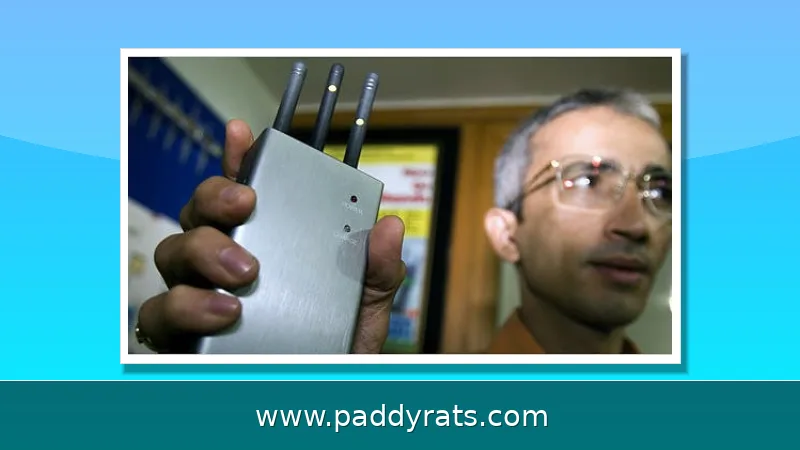
A signal jammer is really just a radio transmitter that drowns out the frequencies your devices rely on, severing the link between your phone, GPS unit, or Wi-Fi client and whatever signal source it's connected to. You can think of it as a denial-of-service attack delivered over the air: the jammer pushes out noise or a spoofed carrier on the same channel, and eventually your receiver gives up because it can't distinguish the real signal from the interference. Cheaper jammers only block a single frequency, but that's often enough to trick a handset into believing there's no network in range at all.
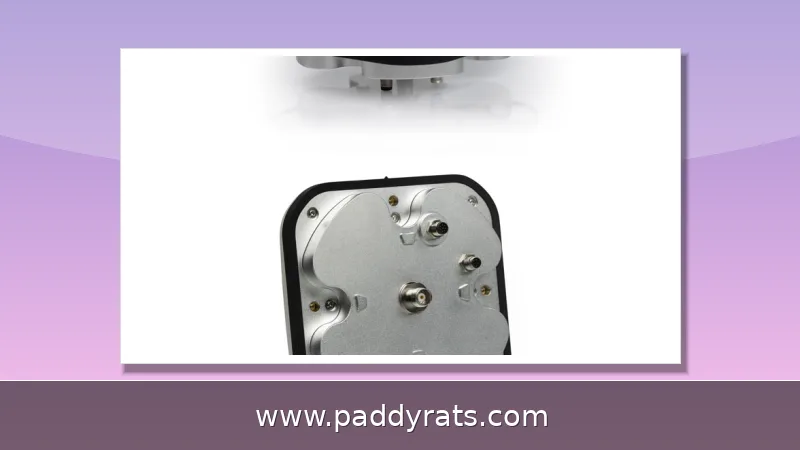
Not every jammer is built the same way, and what it knocks out depends on the frequencies it's designed to hit. Cell jammers target cellular and PCS bands, which is why your calls, texts, and data can all drop at once. Wi-Fi jammers transmit on the 2.4 GHz and 5 GHz bands, and GPS jammers sit right on the L1 signal that navigation and timing systems depend on. Take that $33 GPS jammer putting out 200 mW and plugging straight into a vehicle's power port — a pretty good illustration of how cheap and compact these things have gotten. As for range, it's usually short: often no more than 30 square feet, according to Wilson Amplifiers. That's exactly why placement matters so much once you start hunting for one.
Why Jammer Detection Matters More Than Ever
Jamming isn't some theoretical annoyance you can just file away and forget about anymore. It's a real, physical problem that's now moving through everyday consumer channels. Since 2021, U.S. Customs and Border Protection has recorded roughly an 830% jump in signal jammer seizures — a number that makes it pretty obvious this hardware is no longer a niche curiosity but a product being bought, shipped, and used in serious volume. And it's not staying on the margins, either. In June, the Department of Homeland Security reported that jamming devices were used in bank robberies in Vermont, while similar equipment turned up in an attempted jewelry store robbery in La Verne, California. Think about what that actually means: a jammer doesn't just interrupt a phone call. It can silence alarms, blind security cameras, and cut off the communications a business or a bystander would depend on during a crime. The intent behind these cases is pretty clear — criminals are using jammers as a tool to disable the very systems meant to catch them while they pull off the job.
For most people, though, the real concern is a lot less dramatic. It's calls dropping in a spot that used to have full bars, the home Wi-Fi dying at the same time every night, or a GPS unit that keeps losing its lock in some parking lot. And here's what catches a lot of folks off guard: the FCC is crystal clear that operating, marketing, or selling jamming equipment that interferes with authorized radio communications is against federal law. That includes cellular, PCS, police radar, and GPS. There are no exceptions for a business, a classroom, a residence, or a vehicle, and your local police don't get to run jammers on their own authority either.
Signs You May Be Near a Jammer
People usually say they can feel jamming before they can actually prove it. The tip-off isn't some dramatic single failure — it's a pattern. Pay attention when several devices lose service at the same time in a place where coverage is normally fine, then notice whether that dead zone seems to follow you as you move from room to room or walk around the block. A moving outage like that is a pretty strong clue, since one dropped call or a frozen app could mean just about anything, but a cluster of failures that tracks your movement suggests something more intentional. With cell service, the classic signs pile up fast: calls that drop the second you hit send, texts stuck in the outbox, data that crawls or stops altogether, and signal bars that jump around wildly even when you're standing completely still. And remember, jammers don't play favorites — they take out 9-1-1 and other emergency calls right alongside your regular texts and streams. That's exactly why a suspicious outage is worth treating as a safety issue, not just an annoyance.
Wi-Fi jamming leaves a pretty distinctive trail, and it usually shows up in layers. The first clue is typically the signal strength itself: walk closer to the router and the bars drop off sharply or disappear completely, even though nothing about the router has actually changed. From there, devices start acting weird. Phones, laptops, and tablets disconnect and reconnect in loops, latency climbs, packet loss creeps in, and whatever bandwidth you had left just falls apart. What separates jamming from a normal internet outage, though, is the wired-versus-wireless test. A device connected by Ethernet keeps working just fine during Wi-Fi jamming, because the interference only disrupts the wireless link between your device and the access point. So if your laptop on a cable is streaming without a hiccup while every phone and tablet in the same room is struggling, you're almost certainly dealing with radio interference rather than a problem with your ISP. That distinction matters, since Wi-Fi jammers specifically target the 2.4 GHz and 5 GHz bands your router uses, and they do it by transmitting on those same frequencies — the same denial-of-service principle behind cell jammers. One more thing to keep in mind: a jammer will take out a signal booster too, so amplified coverage doesn't really give you any protection.
Tools for Detecting and Locating a Jammer
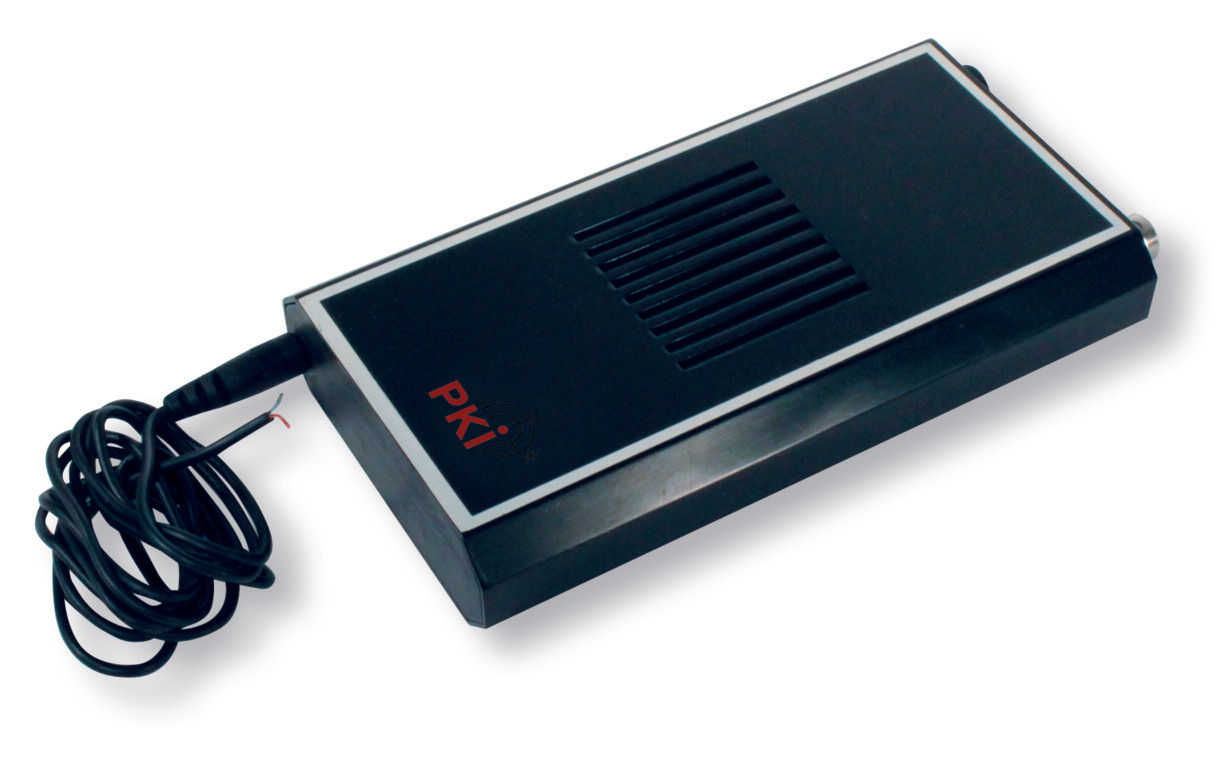
Consumer apps that claim to detect jammers are mostly unproven, and here's the catch: they need a working signal to do their job, which is a real problem when the whole point is that your signal is gone. The tools that actually work are professional RF instruments. A spectrum analyzer lets you search the right band and channels and see whether a network is being jammed, picking up unusual noise or spikes that shouldn't be there. Prices range from cheap to ridiculously expensive, and since these aren't consumer products, expect a learning curve before you trust what you're reading.
A directional antenna is what turns basic detection into a real hunt. Sweep it around, note which direction gives you the strongest reading, then do the same thing from two other spots. With three bearings, you can triangulate the transmitter and get a much clearer picture of where it's hiding. A wideband field strength meter hooked up to an antenna in your car works the same way while you're on the move—just drive around a parking lot and watch for the reading to jump as you get close to the source. If you'd rather go smarter, a software defined radio like the HackRF One pulls double duty as a spectrum analyzer. That lets you first figure out what normal RF activity looks like in your area, so anything hidden or out of place sticks out right away. There are also purpose-built systems worth knowing about. The J911 jammer detection and location system uses cell towers for fast detection and location; one simulation of 500 independent runs plotted radial error statistics for jammer location assuming 25, 100, 500, or 1,000 receivers. Digitpol's GSM Jammer Detector and an Ethernet-connected Wi-Fi Jammer Detector device round out the hardware side of things.
How to Find a Jammer Step by Step
Start with the cheapest detection tool you already have: the signal meter on your phone. Walk slowly around the outside of your house and keep your eyes on those bars the entire time. If the signal drops as you move toward one specific spot, that's a pretty strong hint a jammer is sitting somewhere nearby — and you've just given yourself a direction to search. Do the same walk at different times of day, too. A jammer that's been left running will produce the exact same pattern every single time, while normal coverage problems tend to come and go. That consistency is what separates a deliberate device from an ordinary dead zone, since trees, weather, and network congestion all shift throughout the day. Just remember that this method only points you toward a general area. It won't tell you what's actually causing the drop, so treat it as a first pass before you reach for more precise gear.
Once you've done that, it's time to bring in actual instruments. Hook a wideband field strength meter up to an antenna in your car and drive around the lot or block, watching for a steady climb in field strength. When you've got a rough sense of which direction it's coming from, switch to a spectrum analyzer with a directional antenna and take bearings from three different spots so you can triangulate. Keep an eye on RF activity too—unusual noise or spikes are worth noting. An SDR like the HackRF One helps here as well: compare what you're seeing now against a baseline you recorded back when everything was working normally. The step table below lays out the whole workflow.
| Step | Method | What It Tells You |
|---|---|---|
| 1 | Walk the perimeter with a phone signal meter | Rough direction of a nearby jammer |
| 2 | Circle the area with a wideband field strength meter | Whether field strength rises near a source |
| 3 | Scan bands with a spectrum analyzer | Unusual noise or spikes on specific channels |
| 4 | Take bearings from three locations | Triangulated position of the transmitter |
| 5 | Baseline and compare with an SDR such as HackRF One | Hidden interference that normal scans miss |
One important caution here: detecting a jammer is not the same as confronting one. If your measurements lead you to a neighbor's unit, a parked vehicle, or a storefront, you should not knock on the door or otherwise approach the people involved. Instead, write down everything you observed — the signal readings, the exact times, the locations, and the equipment you used — and hand that record over to local law enforcement or the FCC. There is a good reason for that restraint. Jammers do not discriminate; they can knock out police radio traffic and block 9-1-1 calls just as easily as they disrupt your phone, which means a confrontation could put you and others at real risk. The people equipped to act on your findings are also the ones with the legal authority to do something about them, so let them take it from there.
Wi-Fi vs Cell Phone Jammer Symptoms
By and large, the two categories produce overlapping but distinguishable symptoms, and telling them apart early can save you a lot of time and frustration. If Wi-Fi is the target, start with the router itself: check whether signal strength drops noticeably as you get close to it, watch for devices that repeatedly disconnect or refuse to stay connected, and pay attention to rising latency and packet loss. One of the clearest giveaways is that wired Ethernet connections keep working fine while everything wireless falls apart, since a jammer only floods the wireless bands. Cell jamming looks different. You would see loss of service on multiple devices at once in an area where coverage is normally strong, along with erratic signal fluctuations that do not match ordinary network behavior. Because both scenarios can present as a sudden, localized outage that clears up the moment you leave the area, the pattern across several devices, and whether wired connections survive, is often what separates one from the other.
| Symptom | Wi-Fi Jammer | Cell Jammer |
|---|---|---|
| Signal loss near source | Yes, strongest near router | Yes, strongest in a small zone |
| Wired connection still works | Yes | Not applicable |
| Multiple devices affected at once | Yes | Yes |
| Latency and packet loss spike | Yes | Data stalls or fails |
| Calls and texts fail | Only with Wi-Fi calling | Yes |
If you suspect your school is running a cell network jammer, the same investigative logic applies, just on a bigger scale. Start by checking whether multiple carriers lose service in the same building at the same times — not just yours. If students on Verizon, AT&T, and T-Mobile all drop calls or texts in the same hallway at 10 a.m., that points to something deliberate rather than a dead zone. Then watch the edges: does service return the moment you step off school property? A jammer's range is usually no more than 30 square feet, according to Wilson Amplifiers, so a clean cutoff at the property line is a strong tell. One important caveat — federal law does not create a classroom exemption. The FCC is clear that no business, school, residence, or vehicle gets a pass, and since 2021, CBP has reported roughly an 830% spike in signal jammer seizures, so this isn't a hypothetical. Report your suspicion to the FCC (select Interference, then Signal Jammers) instead of trying to jam back. Retaliating with your own device only creates legal exposure for you — and jammers can block 9-1-1 calls, which is a risk nobody in a school building should take lightly.
Legal and Safety Considerations
The Communications Act of 1934 outlaws interference with authorized radio broadcasts, and the FCC states that federal law prohibits the operation, marketing, or sale of any jamming equipment that interferes with authorized radio communications, including cellular, PCS, police radar, and GPS. There are no exemptions for business, classroom, residence, or vehicle use. Local law enforcement agencies do not have independent authority to use jamming equipment, though federal law enforcement agencies may be authorized in some instances. Owning a jammer for experimentation is not a safe harbor if it is operated or offered for sale.
The safety stakes are real. Jammers can prevent 9-1-1 and emergency calls and interfere with law enforcement communications, which is why the FCC treats enforcement as a priority. If you suspect illegal jamming, contact law enforcement or file a complaint with the FCC. On the FCC complaint form, write Interference or Radiofrequency Jamming in the subject box and select Interference, then Signal Jammers. Keep your own notes and measurements; they make a complaint far more actionable. Do not attempt to disable or confiscate a device yourself, and do not buy a jammer to fight one.
Frequently Asked Questions
How can I detect a signal jammer near me?
Look for dropped service on multiple devices in an area with normally good coverage, and check whether the outage follows you as you move. A spectrum analyzer with a directional antenna can reveal unusual noise or spikes. Apps claiming to detect jammers are largely unproven and require a working signal to function, so treat them as a hint rather than proof.
What equipment is needed to locate a jammer?
A spectrum analyzer and a directional antenna are the core tools. Taking bearings from three locations allows triangulation. A wideband field strength meter connected to an antenna in a vehicle can also indicate a nearby jammer while circling an area, and an SDR such as HackRF One helps compare live RF activity against a known-good baseline.
Are signal jammers legal to own or use?
No. In the United States, federal law prohibits operating, marketing, or selling any jamming equipment that interferes with authorized radio communications, including cellular, PCS, police radar, and GPS. There are no exemptions for businesses, classrooms, residences, or vehicles. If you suspect illegal jamming, report it to law enforcement or file a complaint with the FCC.
What are signs of a Wi-Fi jammer?
Wi-Fi signal strength may drop or disappear near the router, devices repeatedly disconnect, latency and packet loss increase, and bandwidth drops. Wired Ethernet connections continue to work normally because jammers only affect wireless links. If a cabled device is fine while every wireless device struggles, suspect radio interference rather than an internet outage.