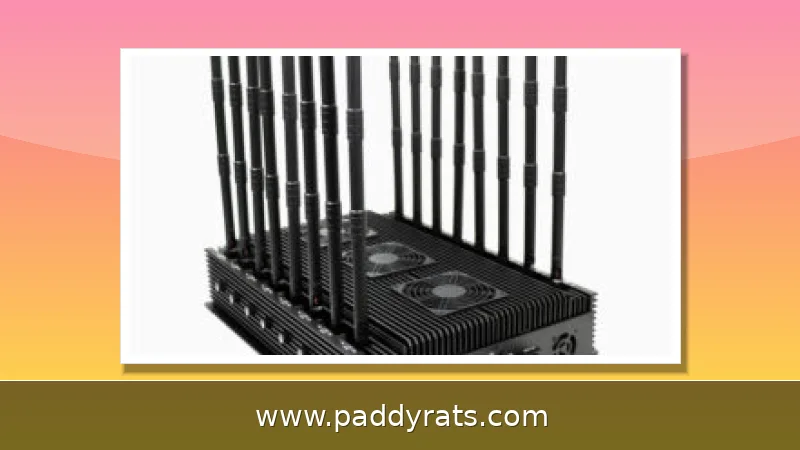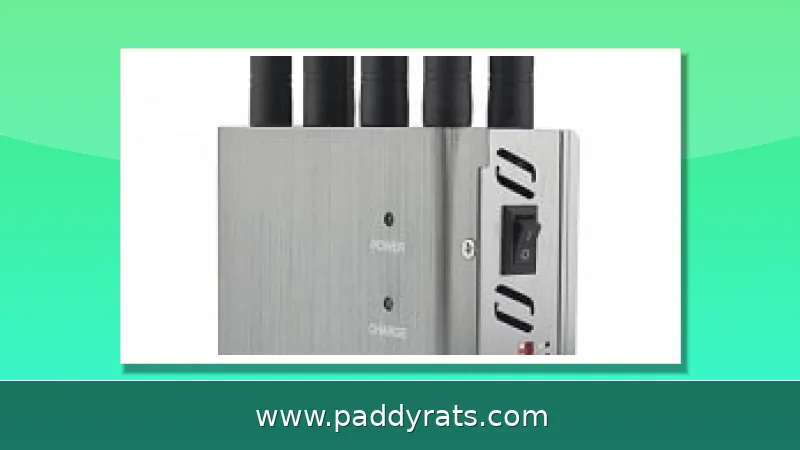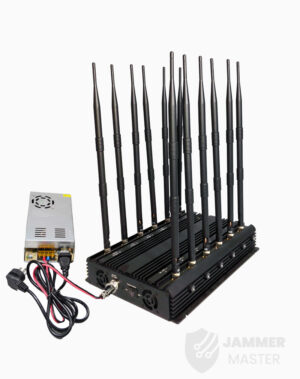
A desktop mobile phone jammer floods the same radio bands your phone uses, from 700MHz cellular to 2.4GHz WiFi, creating a denial-of-service effect that kills nearby service. Here is how the hardware works, what the specs really mean, and why the FCC says you cannot legally run one in the US.
What Is a Desktop Mobile Phone Jammer?
A desktop mobile phone jammer is a stationary signal blocker. It deliberately transmits RF energy on the same bands that commercial phones use, so any handset nearby just sees no usable service. You'll also hear these called cell phone jammers, mobile phone blockers, signal scramblers, or radio jamming devices. Some vendors even sell text stopper, GPS jammer, WiFi jammer, and drone jammer versions in the same desktop chassis.
A Faraday cage is passive—it just puts conductive panels on walls to physically weaken signals. An active desktop jammer is different: it generates its own transmissions. The technology behind these devices started with military and law enforcement, where it was used to stop cell phone–triggered explosives and to cut off outside contact during hostage situations. These days, that same engineering shows up in benchtop boxes you can buy online, which is why the legal risk deserves just as much attention as the spec sheet.
How Does a Desktop Phone Jammer Work?
The underlying mechanism here is just basic RF physics. A jammer broadcasts on the same frequency your phone is using, and it does so at a power level high enough that the two signals run into each other and cancel out at the receiver. Engineers call this a denial-of-service attack on the air interface. What that means in practice is simple: the handset can't cleanly decode the control channel coming from the tower, so instead of completing a call, it just drops into standby mode or shows no service at all.
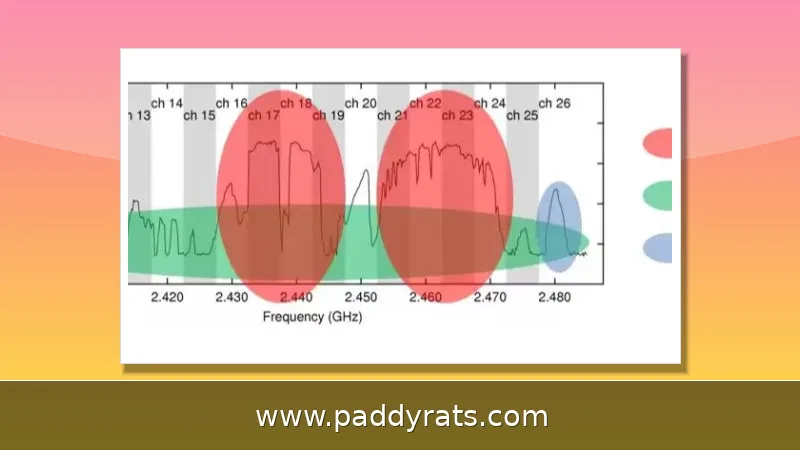
The most basic jammers just flood a band with broadband noise. Others are smarter about it—they use protocol jamming to go after the control channels that handle call setup and handoff, so they aren't wasting power spraying across the whole spectrum. As for which frequencies get hit, you're usually looking at the cellular bands: 700MHz, 800MHz, 900MHz, 1800MHz, 1900MHz, and 2100MHz, along with GPS at 1575MHz and WiFi at 2.4GHz and 5GHz.
If you want to see what's actually going on inside one of these devices, a DIY circuit diagram is a good place to start. A basic cell phone signal jammer breaks down into three main subcircuits: an RF amplifier, a voltage controlled oscillator, and a tuning circuit. The parts list is pretty modest—resistor R1 handles emitter loading, R2 takes care of base biasing, and then you've got a handful of capacitors: C1 for frequency generation, C2 and C3 for feedback, C4 for noise reduction, C5 and C6 for coupling, and C7 for decoupling. There's also transistor Q1 doing the amplification and inductor L1 for frequency generation. The RF amplifier stage runs on Q1, C4, C5, and R1, while the tuned circuit relies on C1 and L1. That tuned circuit essentially acts as an oscillator, pumping out a high frequency signal with as little damping as possible.
Desktop vs Portable Jammers: Coverage and Power
What really separates a desktop jammer from a handheld one is the power budget, the number of antennas, and how well it handles heat. A stationary unit has room for a bigger power supply, more amplifier stages, and several directional antennas, so it's normal to see specs like 20W total output and 10 antennas. Pocket-sized blockers, on the other hand, have to sacrifice range if they want to stay discreet.
Honestly, coverage depends a lot on the signal environment around you. If you're in a dense city with a strong macro network, even a high-power desktop jammer might only take out a room or two. But out in the countryside, where the cell signal is already weak, that same unit can cover a much larger area. Vendors love to throw out big numbers, so it's smart to treat any quoted range as a best-case scenario — basically measured in open air with nothing else competing for the signal.
Heat and duty cycle are two more things that set these form factors apart. A desktop unit with heat sinks and fans can basically stay on all day, whereas a sealed portable device tends to throttle or shut itself down after short bursts. So if you're looking at hardware for research or compliance testing, the desktop category is where you'll actually find meaningful thermal and power specs.
Key Specifications: Bands, Power, Range, and Antennas
Spec sheets are where desktop jammers either earn their credibility or fall apart. The columns that actually matter are frequency bands, per-antenna output power, total power, stated range, antenna count, operating temperature, humidity tolerance, and warranty. What follows is a comparison pulled from published vendor listings, covering the DJ-102, Endoacustica, Jammer Store, Jammer Master, Phantom Technologies, and Shoghi product lines.
| Model | Bands / Coverage | Power & Range | Listed Price |
|---|---|---|---|
| DJ-102 desktop 5G jammer | CDMA 850-895, DCS/PCS 1800-1990, 3G 2110-2170, LTE 700-800, WiMax 2500-2700, WiFi 2.4G/Bluetooth 2300-2500, WiFi 5G 5150-5350 and 5725-5850, GPS L1 1570-1620, UHF 400-470, VHF 135-175 MHz | 20W total, 10 antennas, 10-50m, about 2KG | $435.25 (listed from $851.20) |
| Endoacustica VS-600W | GSM, UMTS, 4G LTE, WiFi | Claims up to 1000m | Not listed |
| Endoacustica MJ-6A93W | GSM, 3G, 4G, WiFi including low and high LTE | High power, 6 antennas | Not listed |
| Endoacustica MJ-400G | GSM, 3G, LTE, WiFi/Bluetooth | Desktop form factor | Not listed |
| Endoacustica WTJ-200 | Walkie talkie, VHF 144-174 MHz, UHF | Desktop form factor | Not listed |
| Jammer Store HPJ1000-5G | Multi-band desktop | High power | $999.00 |
| Jammer Store HPJ20-H | 20 bands, 130 to 5900 MHz | All frequencies | $2,190.00 |
| Jammer Master JM006 / JM014 | Desktop 5G cellular / all-in-one | Stationary | $1,839.99 / $899.00 |
The DJ-102 is worth using as a benchmark here, mainly because its listing actually tells you everything instead of leaving half the specs blank. You get 20W of total power, a net weight of about 2KG, an operating temperature range of -20 to +50C, relative humidity tolerance of 30-95%, a one-year warranty, and a box that comes with the jammer itself, one AC adapter, and 10 antennas. The part that stands out, though, is that you can manually adjust the output power on each antenna. That's a bigger deal than it sounds—it means you can actually shape where the coverage goes instead of just cranking every band to full and hoping for the best.
Phantom Technologies takes a different angle with the CCJ100 cellular jammer, listing 500mW output power per band, dimensions of 150 x 38 x 250 mm or 150 x 38 x 470 mm depending on configuration, weight around 700-950 grams, and a 5% operating humidity figure. Its SCJ1800 selective cellular jammer is designed to block only cellular phones identified as threatening, which the vendor says lengthens battery life by avoiding unnecessary transmission.
Shoghi's SCL-CJ cell phone jammer supports GSM, DCS, UMTS 2100, UMTS 450, CDMA, 3G, 4G, 5G, and WiFi, and uses a digital synthesized signal source with a heat sink and fans. The company notes that multiple jammers can be centrally controlled, a feature aimed at facility-wide deployments rather than single-room use.
Where Are Desktop Jammers Used?
Vendors pitch desktop jammers for anti-eavesdropping in sensitive rooms, government and military facilities, healthcare facilities where phone transmissions could interfere with medical equipment, workplaces handling sensitive information, classrooms where distraction is the concern, homes, prisons, exam rooms, conference halls, theaters, libraries, and religious spaces. The list is long because the underlying capability is generic: cut local cellular and WiFi traffic.
That breadth is also the problem. A prison deployment and a classroom deployment use identical hardware, and the same box that stops exam cheating can also stop a 9-1-1 call. Buyers who evaluate these systems for legitimate institutional use should expect vendor restrictions. Shoghi, for example, states that its systems are intended for end usage by government, ministries of defense, or related agencies only, not for private or commercial use.
For researchers and compliance teams, the more useful framing is scenario-based. Ask what coverage area is actually needed, which bands must be blocked, whether emergency calling must remain available, and how the installation will be documented. Those questions determine whether a desktop jammer is even the right tool, or whether managed WiFi controls and policy-based device restrictions solve the problem with far less legal risk.
Is a Cell Phone Jammer Legal in the United States?
No. The FCC states it is a violation of federal law to use, market, or sell a cell jammer or similar device that intentionally blocks, jams, or interferes with authorized radio communications such as cell phones, police radar, GPS, and WiFi. Consumers cannot legally operate jammers within the United States, and retailers cannot lawfully sell them to US buyers.
The Communications Act of 1934 outlaws interference with authorized radio broadcasts, which is the statutory backbone behind those enforcement actions. The practical concern is not abstract: jammers can prevent emergency calls including 9-1-1 and can interfere with law enforcement communications in the surrounding area. Penalties can include substantial fines and, in serious cases, criminal exposure.
That is why the marketing language on vendor sites is so carefully hedged. Some sellers ship internationally and disclaim responsibility for local legality, while others restrict sales to government and defense end users. If you are in the US and considering a desktop jammer for any purpose, the compliance answer is the same regardless of how the listing is worded.
Detection, Defense, and Health Research
The most common symptom of jammer interference is dropped service: calls fail, data stalls, and the phone shows weak or no bars in a location where coverage is normally fine. Apps that claim to detect jammers are largely unproven and generally require a working signal to function, which is exactly what a jammer removes. Some devices only clear a small area, often cited as no more than about 30 square feet, so simply relocating may restore reception.
If interference is suspected, the recommended path is to contact law enforcement or file a complaint with the FCC rather than attempting countermeasures. Signal boosters do not help. A booster amplifies an existing signal, but a jammer blocks that signal at the source, so any signal jammer also functions as a booster jammer and amplification does not restore reception. Moving outside the jamming radius is the practical option.
Health research on prolonged exposure is limited but not empty. A 2018 study by Shojaeifard examining electromagnetic fields from mobile phone jammer exposure in mature rats found significant differences in blood factors including RBC, platelet, hemoglobin, hematocrit, and MCV. The finding is a reason for caution around continuous close-range exposure, not a settled clinical conclusion about human risk.
Pricing, Shipping, and Buying Notes
Desktop jammer pricing spans a wide range. The DJ-102 lists at $435.25 after a discount from $851.20, Jammer Store's HPJ1000-5G is $999.00 and its 20-band HPJ20-H is $2,190.00, and Jammer Master's Desktop 5G Cellular Signal Jammer JM006 is $1,839.99 with the all-in-one JM014 at $899.00. Higher band counts, higher total power, and longer claimed range drive the price up quickly.
Vendor terms vary as much as the hardware. Jammer Master advertises free worldwide shipping, a one-year warranty, and a 5% discount code BLOCKER. Jammer Store says it ships within three days with free DHL shipping worldwide. JammerMFG states it ships within three days, delivers within 12 days, offers a one-year warranty, and claims no hidden fees under current US tariff policies. Treat all of these as vendor claims rather than verified terms, and confirm the legal status in your own jurisdiction before ordering anything.
Frequently Asked Questions
How does a desktop mobile phone jammer work?
It transmits radio frequency noise on the same bands phones use, such as 700MHz to 2100MHz cellular, 2.4GHz and 5GHz WiFi, and the 1575MHz GPS band. This noise overpowers tower signals, creating a denial-of-service effect so nearby devices show no service.
Is a cell phone jammer legal in the United States?
No. The FCC states it is a violation of federal law to use, market, or sell devices that intentionally block authorized radio communications, including cell phones, GPS, and WiFi. The Communications Act of 1934 also outlaws interference with authorized radio broadcasts.
What is the jamming range of a desktop jammer?
Ranges vary by model and local signal strength. The DJ-102 desktop unit lists 10-50m, while Endoacustica's VS-600W long range desktop jammer claims up to 1000 meters. Higher output power and antenna height generally extend coverage.
Can a signal booster defeat a phone jammer?
No. Boosters amplify an existing signal, but a jammer blocks that signal at the source. Any signal jammer also acts as a booster jammer, so amplification does not restore reception. Moving away from the jamming radius is the practical option.