How to Detect Drone Signals With Your Phone in 2026
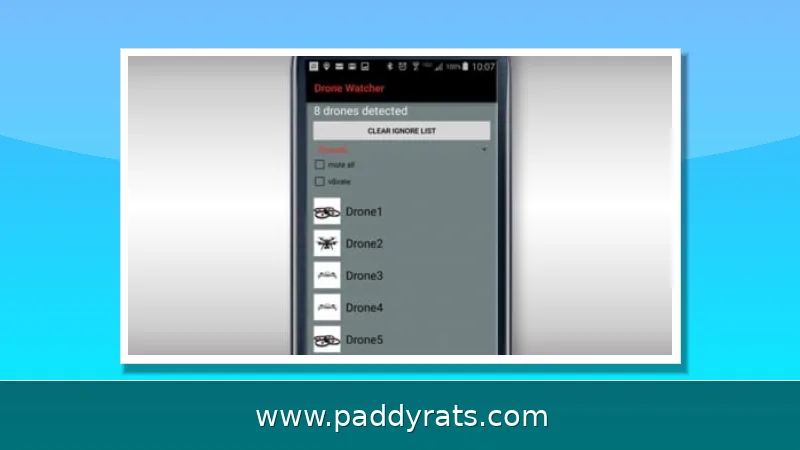
Your phone can only hear drones that broadcast Remote ID over Bluetooth or Wi-Fi, and free apps like Drone Scanner, DroneScout and AirSentinel do exactly that. Here is what works, what iOS and Android block, and when you need a bridge or a real sensor.
How Phone-Based Drone Detection Actually Works
But a phone is not radar, and it is also not an RF sensor. What it does have is a Bluetooth chip and a Wi-Fi chip, both those two radios can receive one particular type of drone transmission: the broadcast Remote ID packet also know as OpenDroneID or DRI solution. That packet is intentionally public, unencrypted and one-directional such that any receiver who hears it can listen without pairing or handshakes in between accounts.
The practical consequence is simple. When a drone transmitting Remote ID is in range of an app (which may be free), the device can display its position, altitude, speed and serial number as well as frequently where that pilot took off from on your map. When a drone is not beeping, or flies on an auto route with no broadcasting at all—your phone hears nothing. There is also no passive trick, there are no secret codes and nowhere an app that turns a phone into a full spectrum monitor.
That distinction is key for two reasons, first, most of the consumer drones capable of being sold today are only allowed to broadcast where legally they can. APRIL 23, 2024 — The FAA regulation applies to nearly all drones over a weight of.55 pounds (250 grams), and the broadcast includes serial number location altitude velocity which sends information on control station location For the EU it is C1, so some sub-250 grams broadcast as well.
Remote ID: The Signal Your Phone Can Read
Remote ID travels over two transport families, and the difference is at the root of almost every complaint you'll read in app reviews. Bluetooth transports are Bluetooth 4 Legacy and Bluetooth 5, as well as the optional mode for Low Energy Long Range S8. Wi-Fi transport Wi-Fi Beacon; Wi-Fi NAN (Neighbor Awareness Networking version)
A handset that gets all four can see a big chunk of the legal drones around him. While a phone limiting itself to just Bluetooth 4 and 5 gets an even more narrow slice. The encryption of Wi-Fi networks has long kept iOS apps locked to the Bluetooth connection only in order so that they could scout the area for available options without accessing a third party, as well. Android is less restrictive but limits background Wi-Fi Beacon scanning unless you turn off Wi-Fi scan throttling in Developer Options.
Another hardware detail that trips people up. Bluetooth Long Range S8 is considered an optional Bluetooth 5, and in Android implementation it mostly useless as the first to implement handset makers do not support reception. None of the Apple devices like iPhone or even an iPad are capable to receive S8 at all. You can have this same drone show up on one phone, and be invisible at the same time he sits right next to you.
Best Free Drone Scanner Apps for Android and iOS
There are three apps currently dominating the free tier, and they each have their own character. The Drone Scanner from Dronetag is a cleaner in, scanning Direct Remote ID over Wi-Fi and Bluetooth, plotting the flights nearby with Digital Twin maps shipping soon being a sort of drone radar to alert you when an aircraft gets too close for comfort (from your chosen distance). According to Dronetag, the app is on 150 thousand mobile devices globally and says updates track new legislation in the EU and US.
DroneScout is the more customisable one. It picks up Remote ID, OpenDroneID and DRI over Bluetooth (and Wi-Fi) as well as position, altitude speed serial number—and when broadcasting—the location of the pilot. It follows ASTM F3411 and ASD-STAN EN 4709-002, but also China's GB46750–2025 standard. The app is applicable in over 30 languages, it saves information locally and does not transfer user data.
AirSentinel takes a third path. The Android app transforms your phone into a free real-time operating detector without an account, and AirSentinel claims that their devices detect Remote ID drones at distances from 1,000 to 5,000 feet. The app support is said to be "coming soon" for iOS. The table summarizes the features most people check first and how well each of them fares in their free tiers.
| App | Transports received | Free tier highlights | Platform notes |
|---|---|---|---|
| Drone Scanner (Dronetag) | Bluetooth 4/5, Wi-Fi Beacon, Wi-Fi NAN | Live map, drone radar, data export | iOS limited to Bluetooth reception |
| DroneScout | Bluetooth, Wi-Fi, ASTM F3411, EN 4709-002, GB 46750-2025 | Live detection, map, serial number, operator ID, UAS type, brand ID, GPX/CSV export | 30+ languages, local data storage |
| AirSentinel Mobile | Remote ID | No account, 1,000-5,000 ft range claim | Android now, iOS coming soon |
DroneScout paid tiers have real value if you scan a lot. Silver adds new detections push notifications, searchable flight history and model ID for 300-plus brands and 400-plus drone models (banner removed) Gold adds additional map providers and layers, offline maps with vector tiles, drone labels and groups as well as notes. Platinum directs detections to your own server, CalTopo or the Drone Radar network and includes ADS-B support for manned aircraft.
Why iPhones and Some Androids Miss Certain Drones
The single most common support thread in this space looks like this: a DJI Mini 3 with factory Remote ID enabled is sitting on a table, an iPhone 15 Pro Max is running a scanner app, and nothing appears. In a review dated September 20, 2024, a user reported exactly that. Dronetag replied that Apple restricts Wi-Fi scanning for third-party apps, which is the whole explanation. The drone is compliant; the phone cannot read that transport.
Android has a parallel problem that is less famous but equally annoying. Wi-Fi Beacon scanning is throttled by the operating system to save battery, so a scanner app may only sample every few minutes unless you disable Wi-Fi scan throttling in Developer Options. Bluetooth Long Range S8 is also unreliable on Android handsets, and no iPhone or iPad can receive S8 at all.
This is why two people standing side by side can get completely different results from the same app. It is not a bug in the app, and it is not a sign that the drone is unregistered. It is a hardware and platform permission boundary, and it is the main reason phone-only detection should be treated as a convenience layer rather than a security system.
Extending Range With Bridge and Receiver Hardware
If you want to close the gaps that phone radios create, the cheapest fix is a bridge. DroneScout Bridge receives the signals phones struggle with, including Wi-Fi Beacon frames and 5 GHz Remote ID broadcasts, and converts them into a wireless signal the phone understands. On higher models it operates on 5 GHz, which matters because some drones, Skydio among them, broadcast Remote ID only on 5 GHz Wi-Fi.
The bridge extends detection range up to 2 km, and pricing starts at 69 euros. That is a modest spend compared with a full detection system, and it directly addresses the two biggest complaints: iPhones that cannot scan Wi-Fi at all, and Android phones that cannot reliably receive Bluetooth Long Range S8.
Hardware vendors are also building around the same limitation. Dronetag has said a new product will bypass phone hardware entirely to achieve 100 percent RID reception. The pattern is consistent across the market: the phone handles the display and the alerts, and dedicated radio hardware handles the listening.
Phone Apps vs Professional Detection Systems
A phone app is a great awareness tool and a poor security sensor, and the companies selling professional gear are blunt about it. AirSight argues that a free app alone gives a false sense of security. Its reasoning is technical rather than commercial: a phone's radios are built for Wi-Fi, Bluetooth and cellular, not the RF bands most drones use for command-and-control links, and a phone has no radar for autonomous drones flying pre-programmed paths.
The professional answer separates the sensor from the screen. RF detection, radar and optical sensors do the listening, and a platform such as AirGuard does the displaying, accessible from any browser including a phone. AirSight's Portable Detection Units integrate RF detection and Remote ID receivers on a 20-foot telescoping tower, towable and operational in minutes, which is a very different product category from a free download.
There is also a newer acoustic angle worth watching. Askalon Sentinel, a free beta app from Askalon Industries posted September 7, 2026, turns a spare phone into a passive acoustic sensor. You place an old phone at a window, plug it in, and it listens. Incoming audio is matched against Askalon's library of drone acoustic signatures, then a push notification and a live map entry are generated. Askalon claims acoustic detection catches 4G and cellular-controlled drones that radar and RF miss, that it needs no special hardware, and that it is passive and undetectable. Two modes are offered: a windowsill sensor and proximity alerts with a drawn zone.
What the Rules Require and Why Detection Matters
Regulatory context drives everything here, because phone detection only works on drones that are legally required to broadcast. In the United States, the FAA requires Remote ID for most drones over 250 grams, with broadcast data including serial number, location, altitude, velocity and control station location. In the EU under EASA and in the UK under the CAA, the trigger is the class label, EU C1 or higher and UK UK1 or higher, so some sub-250-gram drones broadcast as well. Japan's threshold is 100 grams, with comparable rules in Singapore and China.
Enforcement is tightening. In March 2026, the FAA's DiSCVR system went into use with law enforcement, linking Remote ID broadcasts to FAA registration and airspace records. That means a broadcast that a scanner app displays on your phone is the same data stream investigators can tie back to a registered aircraft and pilot.
The safety case is not theoretical. The FAA recorded 411 illegal drone incursions near US airports in the first quarter of 2025, a 25.6 percent jump over the same period a year earlier. An Associated Press analysis found that drones account for nearly two-thirds of reported near midair collisions at the 30 busiest US airports. For anyone near an airport, a stadium or critical infrastructure, a free scanner app is a reasonable first step, and a bridge or a professional sensor is the honest answer when the stakes get real. This article is not investment advice.
Frequently Asked Questions
Can my phone detect drones?
Yes, but only drones that broadcast Remote ID. Free apps like Drone Scanner, DroneScout and AirSentinel read that Bluetooth or Wi-Fi broadcast and show position, altitude, speed and serial number on a map. Phones cannot hear command-and-control RF links or spot autonomous drones that emit no signal at all.
Why can't my iPhone see my DJI drone in a scanner app?
Apple blocks third-party apps from scanning Wi-Fi, so iOS apps only receive Bluetooth Remote ID. Many DJI drones, including the Mini 3, broadcast Remote ID over Wi-Fi, so they stay invisible on iPhone. The drone is still compliant; the phone simply cannot read that signal.
How far can a phone detect a drone's Remote ID signal?
AirSentinel states its Android app detects Remote ID drones within 1,000 to 5,000 feet. Range depends on the phone's Bluetooth and Wi-Fi hardware, and an optional bridge device such as DroneScout Bridge can extend detection up to 2 km from 69 euros.
Do I need extra hardware to detect more drones?
Often yes. Android Bluetooth Long Range S8 reception is unreliable and no iPhone or iPad can receive it, while iOS cannot scan Wi-Fi Beacon frames at all. A bridge device like DroneScout Bridge converts those signals and extends range up to 2 km, and professional setups separate the sensor from the screen entirely.