WiFi Jamming vs WiFi Interference: Key Differences Explained (2026)
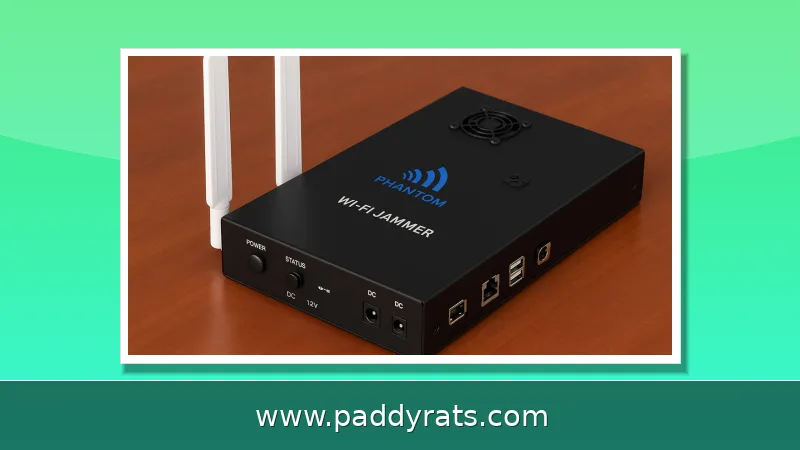
WiFi jamming is a deliberate attack that blocks wireless signals, while WiFi interference is unintentional disruption from everyday devices. Here is how to tell them apart and what to do about each.
What Is WiFi Interference and What Causes It?
WiFi interference is the accidental disruption of radio waves and something I run across every time trouble shooting home or office networks. The usual suspects are: Band competition on crowded 2.4 GHz channels Dense walls and heavy furniture Other electronics Nearby routers Cordless phones Baby monitors Microwaves Bluetooth devices None of them are out to damage your network — they just transmit on, or close to the same frequencies as your router.
The result is decreased signal quality, not a complete blackout. Weaker connections, lower data rates and loss of responsiveness all happening in a pattern that corresponds with whatever is also running. Since microwaves use the same 2.4 GHz frequency as WiFi, a microwave within range can slow down your wifi by about half if they are in adjacent rooms! That is directly interference: physics and horrible placement as opposed to an assailant.
What Is WiFi Jamming and How Does a Jammer Work?
WiFi jamming is the intentional disruption of communications, carried out with radio signals. Jammer is device whom can block radio frequency signals by converging RF energy on the same bands local networks operate, typically 2.4GHz and 5GHz bands where broadband high speed wireless data access for nodes like routers and mobile devices generally used to work that are created enough digital noise in order annoying not able to communicate with router or APs through combination of all possible combinations of pulse train signal bursts flooding into airwaves surrounding your home (or anywhere else) thus making impossible any two-way communication between your mobile device & its paired node including BlueTooth connections etc.). The nearest analogy in security is a denial-of-service attack against a web server, except that here the target is not just computational power but rather the air waves themselves.
This is not a theoretical danger. Since 2021, U.S. Customs and Border Protection has recorded approximately an 830% increase in the number of signal jammers being seized. Last June, the Department of Homeland Security said jamming devices had been used in a number of bank heists across Vermont; and last April, police found two jammers after foiling an attempted jewelry store robbery in La Verne. According to forum posts, cheap units ususally cost around $40 bucks on ‘offer’, putting them within easy reach of the amateur criminal.
WiFi Jamming vs WiFi Interference: Intent and Mechanism
The intent that separates these two issues is a single word. Interference is unintentional; while, jamming involves intention. And that difference determines all the characteristics of its disruption; what it will look like when itself and how long, in which case you can act. When I am on the phone with clients calling about dead data, Because many times they confuse a Network out there are always hand straight forward comparison table.
| Factor | WiFi Interference | WiFi Jamming |
|---|---|---|
| Intent | Unintentional | Deliberate |
| Typical sources | Microwaves, Bluetooth, neighbors' routers, walls | RF signal blocking device on 2.4/5 GHz |
| Pattern | Intermittent, tied to devices or times | Sudden, simultaneous, repeated drops |
| Wired connection | Usually unaffected | Keeps working while wireless fails |
| Scope | Local, gradual degradation | Broad, can hit every wireless device |
Mechanically, a jammer will jam the band with noise so that legitimate frames never reach their destination while interference will only deteriorate the signal-to-noise ratio. Interference has a way of sneaking up on you—dropped packets here, video call lag there. Jamming comes in waves, and it does not discriminate based on device. Knowing that difference spares hours of pointless router reboots.
Signs Your WiFi Is Jammed Rather Than Interfered With
One of the clearest tells is what happens to wired devices. So, if every wireless device drops at the same time but your Ethernet-connected desktop keeps working normally, thats a good sign that jamming is happening since jammers only affect wireless radios. In contrast, interference is often sporadic and associated with certain devices or moments — say a microwave running at lunchtime, or the neighbor across the street has their router come online each evening.
Look out for poor signal quality and disconnections even when close to the router, devices repeatedly disconnecting/reconnecting, high latency/packet loss reducing bandwidth or unexpected issues (i.e. Routers or devices may also randomly power off because of overheating. When multiple devices become unable to connect at the same time and it happens regularly, a jammer is much more plausible than just common congestion.
Which Devices Are Most Vulnerable to Jamming?
Anything that uses radio is fair game; but certain devices are way more interesting than others. It is a bit tragic, because the internet connectivity pass right through this model: The router at home here becomes the central structure; knocking it out takes all with one blow. This could be especially problematic for WiFi security cameras and video doorbells, as a jammer can take them offline just before an intrusion — consistent with the patterns observed in Vermont and California.
Smart home and IoT devices usually have no fallback connection, so they simply go dark. Smartphones and tablets may quietly switch to mobile data, which hides the problem from the user but still breaks local control. Bluetooth devices can also be disrupted. The takeaway is that your most security-sensitive hardware is often the least resilient, and that is exactly why jammers appeal to criminals.
How to Prevent WiFi Jamming at Home
You cannot jam-proof a network completely, but you can make it a much harder target. Start with encryption and authentication: use WPA3 and strong, unique passwords so nobody can join or impersonate your network. Then switch as much traffic as possible to 5 GHz, since most jammers target 2.4 GHz, and enable automatic band-switching so capable devices move on their own. Changing your WiFi channel helps with interference from nearby routers.
Physical placement matters too. Move the router away from dense walls, metal, water, and microwaves, and use wired Ethernet connections wherever performance and reliability are critical. For detection, tools such as Ekahau Analyzer with a Sidekick spectrum analyzer can identify interferers and even tag microwave, Bluetooth, wireless camera, and WiFi jammer sources. Forum users also mention inSSIDer, and simple signal-checking apps on a phone or laptop can reveal sudden, unexplained drops.
Is WiFi Jamming Legal in the United States?
No. According to the FCC, federal law prohibits operating, marketing, or selling jamming equipment that interferes with authorized radio communications, including cellular, PCS, police radar, and GPS. There are no exemptions for use in a business, classroom, residence, or vehicle. That applies to WiFi jammers just as it does to cell jammers, regardless of how the device is advertised.
Local law enforcement lacks independent authority to use jamming equipment, though federal agencies may be authorized in some instances. In most countries around the world, using a WiFi jammer is illegal as well. If you suspect jamming, document the symptoms, keep wired backups running, and contact the FCC or local authorities rather than trying to counter-jam, which is itself a violation.
How Do You Tell Jamming Apart From Interference in Practice?
My working method is to isolate variables. First, test a wired connection; if it works while wireless fails, you are likely looking at jamming. Second, check the timing: interference follows a schedule tied to appliances or neighbors, while jamming is sudden and simultaneous. Third, walk the space with a signal-checking app and look for a broad, unexplained collapse rather than a gradual fade in one corner.
Fourth, inspect the environment for new electronics, moved furniture, or a router placed next to a microwave or metal cabinet. If nothing changed physically and every wireless device drops at once, escalate. Document times, affected devices, and any recovery pattern, then report it. That evidence is what separates a genuine RF attack from the ordinary congestion that plagues most homes.
Frequently Asked Questions
What is the main difference between WiFi jamming and WiFi interference?
WiFi interference is unintentional disruption from devices like microwaves, Bluetooth, or neighboring routers sharing the 2.4 GHz band. WiFi jamming is the deliberate use of strong radio signals to block communications, often described as a DoS attack on a network. Intent is what separates the two.
How can I tell if my WiFi is being jammed or just experiencing interference?
If wired Ethernet devices keep working while all wireless devices drop at once, that points to jamming. Interference tends to be intermittent and tied to specific devices or times, such as microwave use at lunchtime. Sudden, repeated, simultaneous disconnections suggest a jammer.
Are WiFi jammers legal?
No. According to the FCC, federal law prohibits operating, marketing, or selling jamming equipment that interferes with authorized radio communications, including cellular, PCS, police radar, and GPS. There are no exemptions for use in a business, classroom, residence, or vehicle.
Which WiFi band is more vulnerable to jamming and interference?
The 2.4 GHz band is more susceptible because it travels further and is more congested. Most WiFi jammers target 2.4 GHz. Switching devices to 5 GHz, which has more channels and less interference, makes them harder to jam.